Step 1: Disconnect with the power,make sure the lamp is cool.
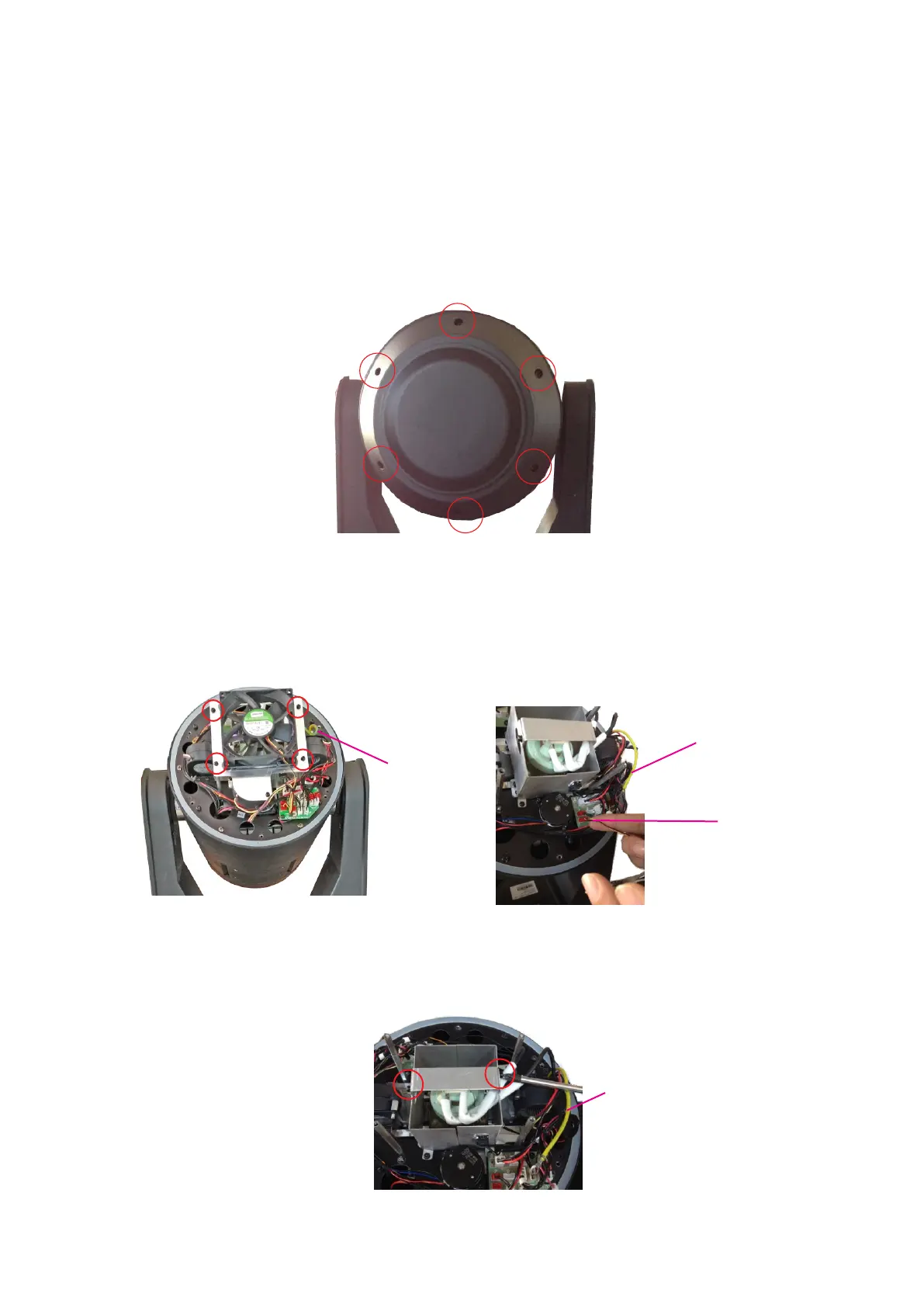
Step 2: loose 6 screws as Pic 1,but no need take the screws out and open the cover.
Step 3: dismantle the 4 screws as Pic2,pull out the fan cable as Pic3, move the fan
module away.
Pic 1
Pic3
Step 4: dismantle the lamp strengthen board.
Pic4
earth wire
Pic2
22
Lamp’s installation and dismantle
earth wire
earth wire



 To Next Page