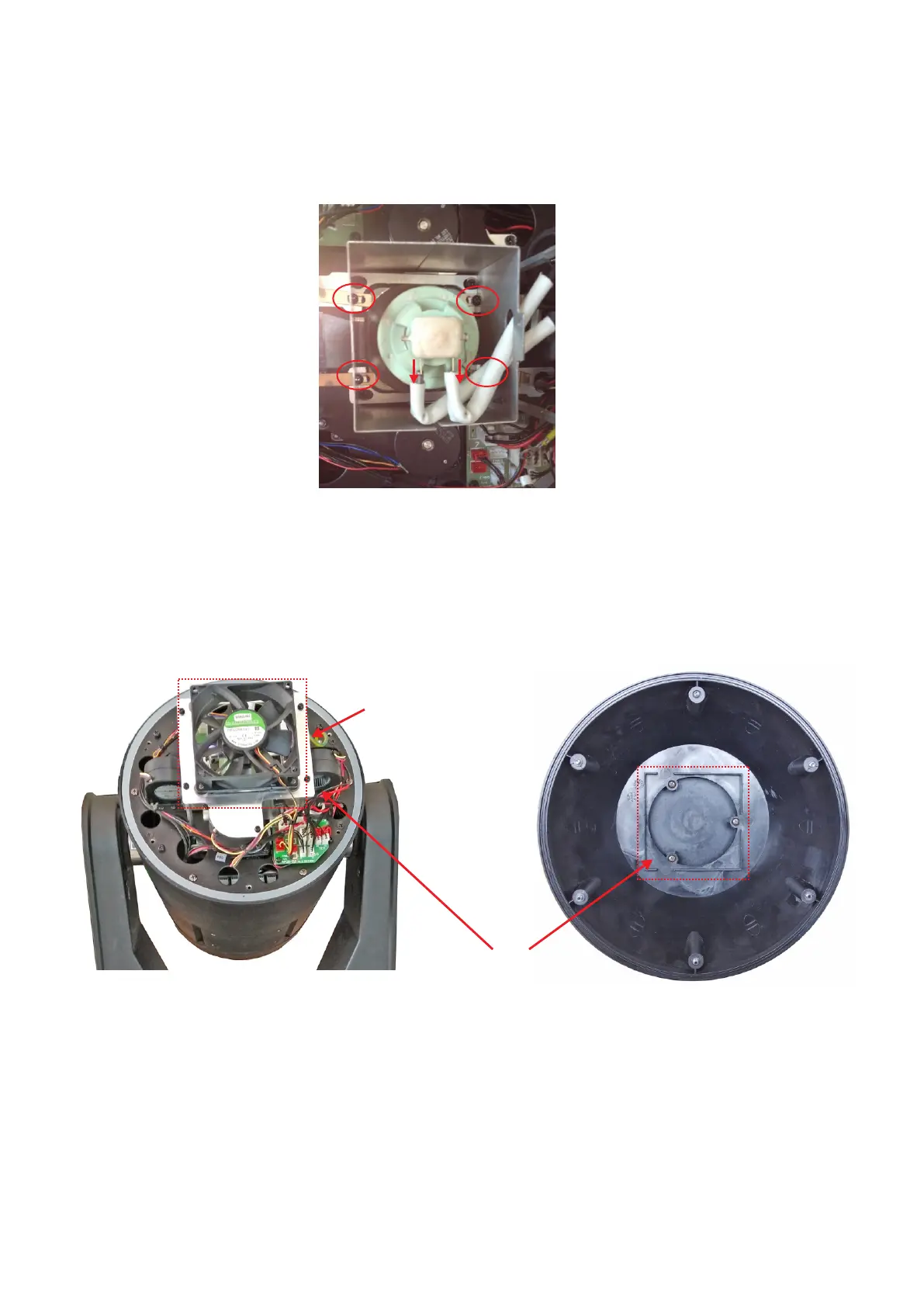
Step 5: pull out the lamp power cable as the arrow direction in Pic 5, loose the 4 pcs fixed
screw (no need to take the screw out),replace the lamp.
Pic5
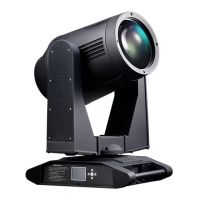
Step 6: After Finished the lamp replacement, repeat step5 , 4 ,3 ,2 ,1 , and make sure all
the connector and cables are in original place and good contact. Lastly pay
attention to the big lamp fan position and Cover position as the pic shows.
Attention, Fan and
cover in correct position.
23
earth wire



 To Next Page