Why the RH test gives the most reliable results:
Moisture distribution within an open concrete slab is often not uniform, especially when the slab
has not dried completely or when the slab is on grade. The surface shows low moisture levels,
whereas higher moisture levels are found in the middle of the slab or towards the bottom (espe-
cially for slabs on grade). Once the open concrete slab is covered by the floor covering, mois-
ture will be pulled up from the bottom towards the drier surface until an even moisture distribu-
tion has been reached. The increase in moisture close to the surface can cause problems with
epoxy, adhesives and floor coverings.
It has been shown, that moisture measurements taken at 40% of the slab thickness give the
same results when the slab is open and later-on when the slab is covered. Therefore, test
results from the open slab at 40% depth can be used to predict what the moisture content will be
once the slab is closed. This allows manufacturers of adhesives, epoxy and floor coverings to
set a permissible range for their products. If the slab is not on grade, the ASTM standard F2170
allows testing at 20% depth.
Permissible RH values are set by manufacturers of adhesives, epoxis and floor coverings.
Check the floor manufacturer’s installation manual.
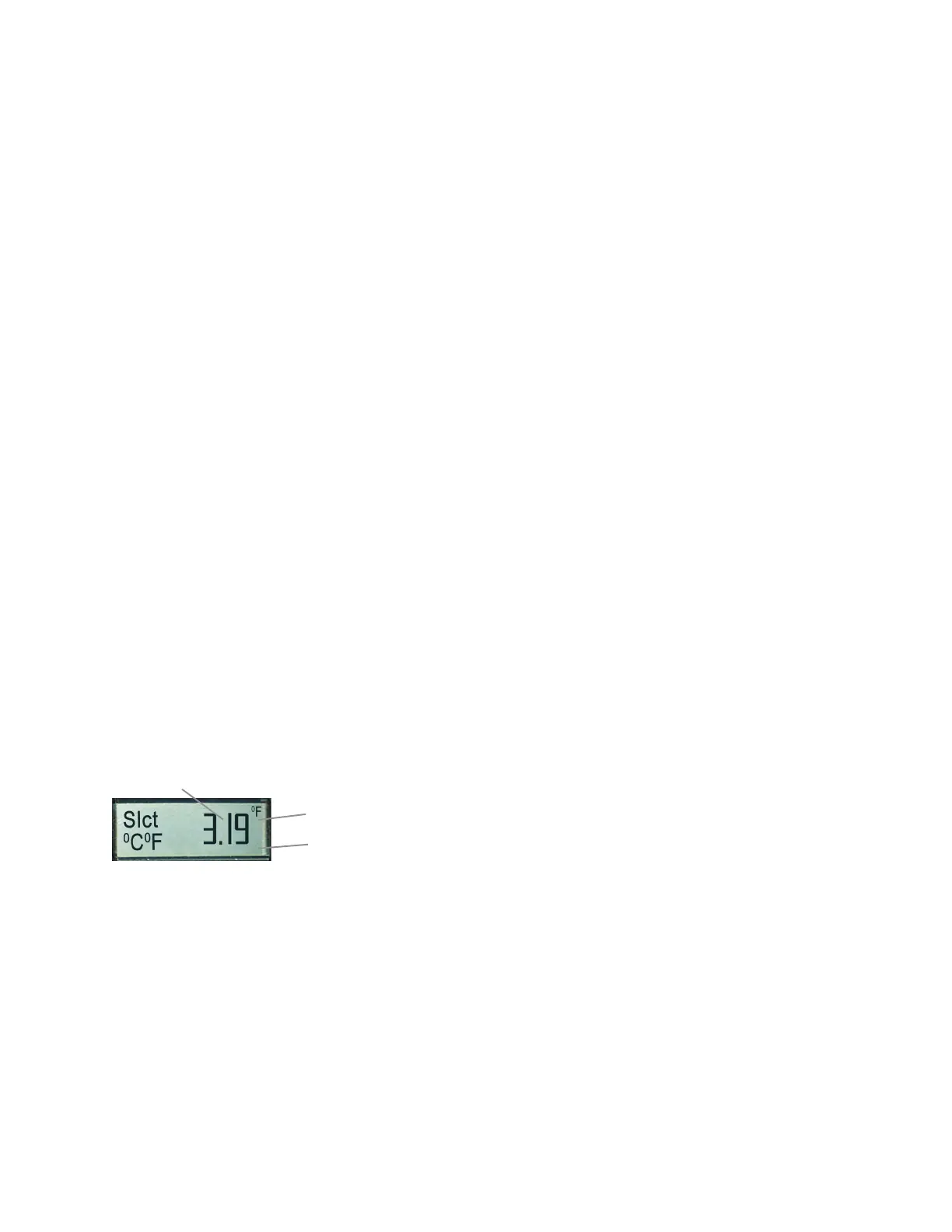
Temperature is indicated in
0
F or
0
C. Measuring depth is indicated in inches or mm. To
change, disconnect the battery and press the SET key twice. Connect the battery again.
Display shows software version as a 3-digit number. Example 3.19.
The active
0
C or
0
F setting appears on the right side of the display in the upper or
lower corner. The setting for temperature can only be changed, while the 3-digit soft-
ware number is displayed.
To switch the setting from
0
F to
0
C, use down key.
To switch the setting from
0
C to
0
F, use up key.
The setting for inches or mm cannot be changed manually, it follows
the temperature setting:
- If
0
C is set, the measuring depth is automatically indicated in mm.
- If
0
F is set, the measuring depth is automatically indicated in inches (“).
Check Software Version. Change from US to Metric System.
22



 To Next Page