Measurements
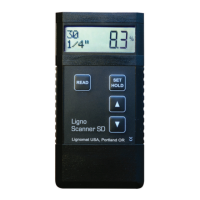
After settings have been checked and changed, press the READ key to
obtain readings. The active settings appear briefly. Then, if no electrode
is connected or if the electrode is not inserted into any material, the
lowest possible reading for the active material and temperature settings
appears. Example: PIN/Min is 5% for setting 147 for 70
0
F. If an elec-
trode is connected and inserted into material, the moisture value and
the active settings for material and wood temperature are displayed.
Example: Wood species 147, wood temp 85
0
F, measured value 6.9%.
While taking measurements:
- If the material is too dry to be measured, the meter will show the lowest possible
value indicated by PIN/Min on the left side of the display.
- If the material is too wet to be measured, the highest possible value is indicated by
PIN/Max on the left side of the display.
Obtain stable Readings at low Moisture Contents
- Minimize electro-magnetic interference: If you measure close to computers, electrical
wires or power tools in use, readings could become erratic. To avoid the interference,
take measurements in a different location.
- Reduce static electricity: In dry climates and at low moisture contents static electricity
may cause erratic readings. The wood, the meter and the person holding the meter
should not move while taking measurements. Best results are achieved, when the meter
is placed on the board to be measured.
Measuring Wood
Select the correct setting for wood species and
wood temperature. Page 7.
Wood Range is 5-99%. Readings above fiber
saturation point (25-30%) are less accurate.
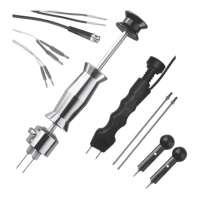
The slide-hammer electrode E12 with teflon-
insulated pins is most commonly used for
wood. As the pins are hammered towards the
core, consecutive readings indicate any changes
between surface and core moisture. For core
readings at least a third of the board needs to
be penetrated.
Pin Mode
8
E12



 To Next Page