10
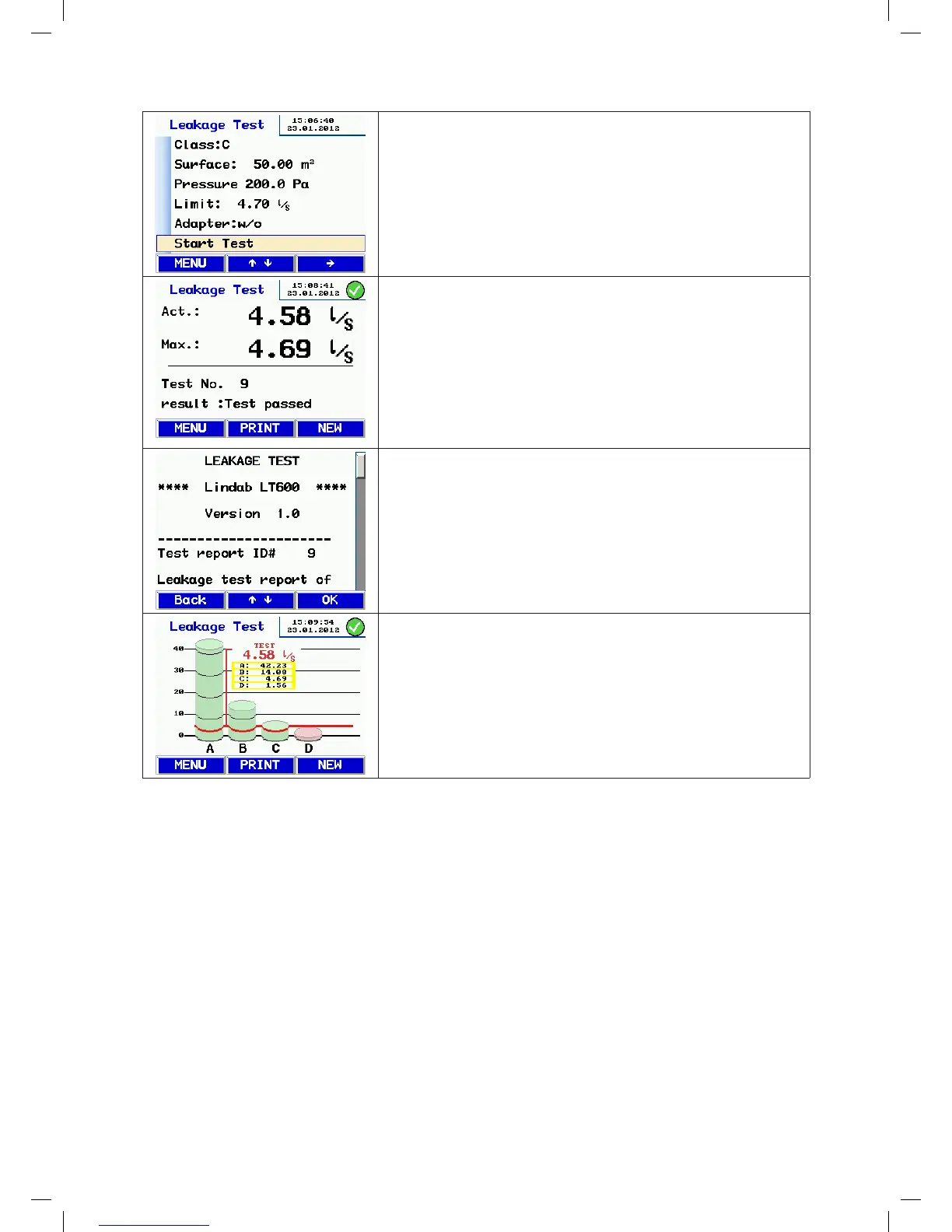
Shows the configured parameter and the maximum permitted leakage flow
rate.
• Press the to start the test.
• A self test is carried out before the test starts.
• The test starts once the selected pressure is reached, and continues for
five minutes.
• You can interrupt the test at any time by pressing Stop.
While the test is running, the achieved pressure and the current flow rate
are displayed.
• After the test duration of 300 s, the device stops automatically. (Stand-
ardised test duration) If you press Stop to end the test early, the results
are displayed.
• The device indicates whether the test has passed or failed with the
specified parameters.
• Press the Print key to print the report or press the New key to start a
new test.
Viewing the report before printing.
• You can use the or key to scroll through the report.
• Switch on the TD 600 printer and place it close to the IR window.
• Press OK to start printing.
• Note: The report is not permanently stored unless you select "Save" on
the menu.
Chart:
• Press the MENU key and press the or key to select Chart from the
menu.
• Confirm by pressing the key.
• You can print the chart by pressing the Print key on the TD 600.
• To return to the menu press the Menu or New key once.
• To start a new test, press the Menu key twice.
About the chart:
The bar chart shows the permitted leakage flow rate for the airtightness classes, with the specified m² and the actual
test pressure. The test value appears as a red line.
Compliant airtightness classes are shown with green bars. Non-compliant classes are shown with red bars.
manual-LTEST-1082_EN-DE-FR-SE.indd 10 2012-03-28 12:32:39


 To Next Page
 Loading...