15
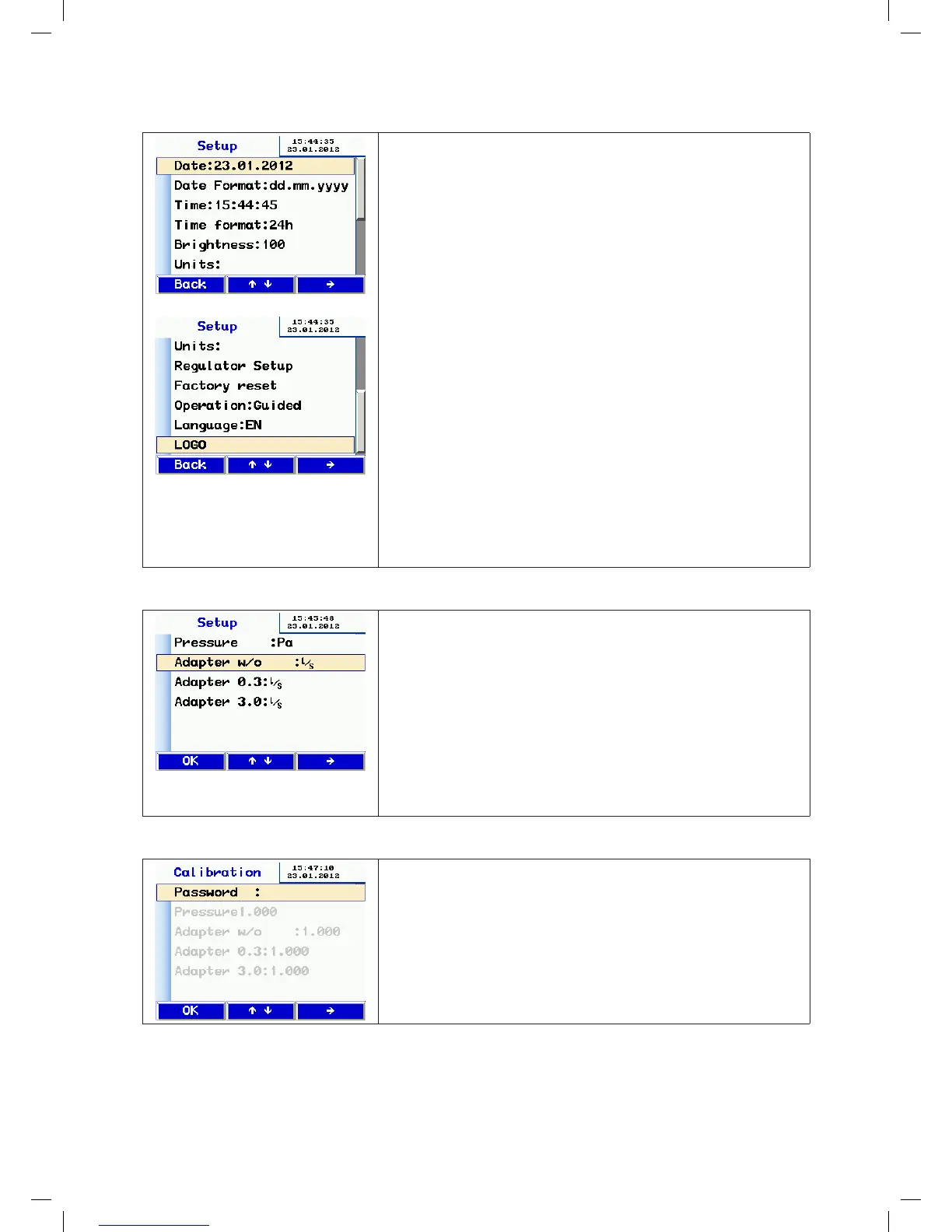
10.8 Setup
• Press the and keys to scroll up and down.
• Press the key to select a menu entry.
• Press the and keys to select a letter or digit to change.
• Change the letter or digit by pressing the and keys.
• To exit, press the button until you reach the end of the line.
If necessary, the functions are dialog-driven.
Functions:
• The date/time functions are self-explanatory
• The Brightness option adjusts the screen brightness
• Various options for the units of measurement, explained below
• Setup adjustment allows the PI controller to be customised for auto-
matic measurement, if required. Standard values can be selected.
• Reset to factory settings
• Mode: use the key to toggle between user prompt mode and expert
mode
• The key switches the interface language between German, French,
Swedish and English
• LOGO: you can enter customer-specific text here, to appear at the top
of the report printout
10.9 Units
• Select the units of measurement for the display. The device always
bases its internal calculations on the units l/s and Pa.
• Select the menu entry by pressing the and keys.
• Press the key to select the unit
Available units:
Pressure:
pascal (Pa), hectopascal (hPa), millibar (mBar), water column (mm H
2
O
and “
WC
)
Leakage flow rate:
l/s, m³/h, l/min, l/h, CFM, l/s m² (leakage air standardised to 1 m²)
• Exit by pressing OK
10.10 Calibration
• Only accessible by service personnel with a password.
manual-LTEST-1082_EN-DE-FR-SE.indd 15 2012-03-28 12:32:40


 To Next Page
 Loading...