13
220793 F IMAGE 13
Programming with a Computer
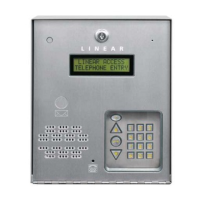
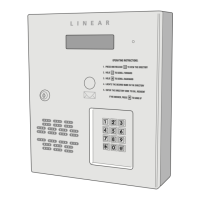
The AE-500’s built-in programming interface can be accessed on-site
(using a separate telephone line) or off-site using a computer with a
modem and Internet Explorer browser (with Sun Java installed). The
AE-500 can be programmed using the local keypad or with a
telephone, but computer programming is the easiest method.
Navigating through the AE-500’s programming “pages” is similar to
browsing through your favorite web site’s pages. Anyone familiar with
the Internet will fi nd programming the AE-500 with a computer very easy.
The AE-500’s memory contains the “pages” that the computer will view.
When selections and changes are made on the computer, the AE-500’s
memory is programmed to your custom settings.
The following screen pictures show setting up a “Dial-up” connection in
Windows™ XP and how to connect with a single AE-500. To create “Dial-
up” connections for multi-unit installations, see Page 16.


 To Next Page