LT360 Precision Turntable
User Manual
LT360 Precision Turntable
User Manual
9
8.1 LT360 Windows Software ....................................... 65
8.2 Opening an LT360 Link ............................................. 66
8.3 Acceleration Function, Smart Torque ....................... 67
8.4 Motor Home Check .................................................. 68
8.5 Information, Name .................................................. 69
8.6 Step Size, Velocity, Torque ........................................ 70
8.7 Display, Output, Input, Polarity .................................... 71
8.8 Analog Input, Pulse Input, Direction, Trigger ................ 72
8.9 CPU, LDR, USB, Firmware, LT360LIB DLL .................. 73
8.10 Action Buttons ............................................................. 74
8.11 Position Graphic Readouts ....................................... 75
8.12 Calibration Button ........................................................ 76
8.13 Update Button .......................................................... 77
8.14 Test Button .............................................................. 78
Contents
Chapter 8: Application Software 65
80
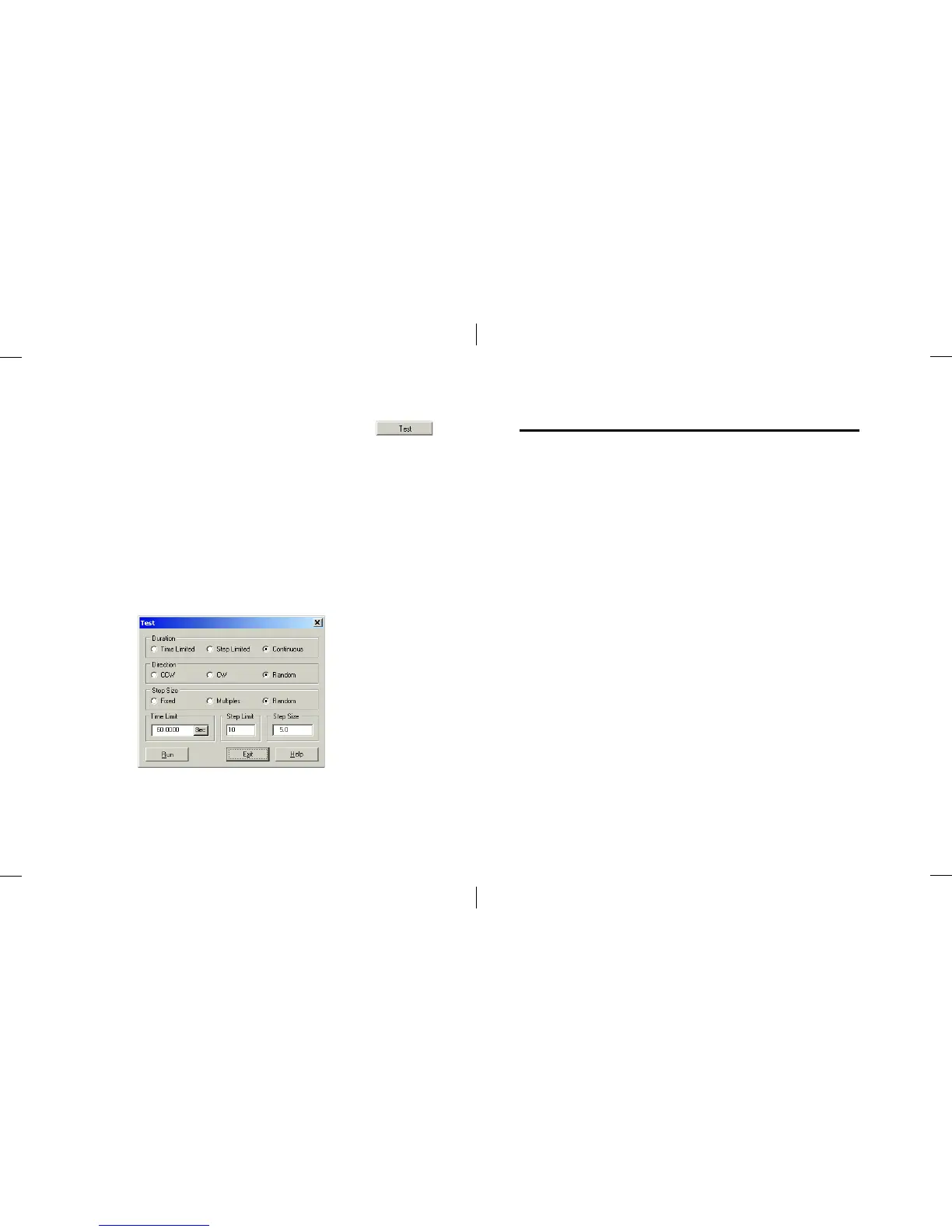
■ Test
Clicking this button will open the Test dialog as shown below.
This dialog provides a means to test the LT360 by rotating the platter for a
period of time, number of cycles, etc. It is mainly used by the factory during
product testing and lubrication.



 To Next Page