Need help?
Do you have a question about the Linkam Scientific Instruments CSS450 and is the answer not in the manual?
Crucial initial checks and warnings for safe equipment handling and transport damage.
Essential guidelines and precautions for operating the equipment safely and correctly.
Explanation of safety symbols and their meanings for user awareness and hazard prevention.
Procedures and safety measures for safely handling liquid nitrogen for sample cooling.
Instructions on how to properly fill the Dewar with liquid nitrogen.
Guidelines for basic cleaning and maintenance of the equipment.
Steps to take before initial use, including registration and software setup.
Details regarding the warranty period, coverage, and exclusions for the equipment.
Information on how to contact Linkam for technical assistance and queries.
Invitation for user feedback to improve products and services.
Critical warnings and sequence for operating the CSS450 and LNP95 systems.
Guide for installing and registering the Linksys32 software on a computer.
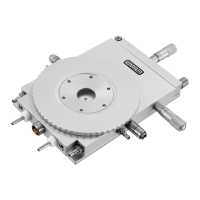
Instructions for assembling the stand for the CSS450 stage.
Step-by-step guide for correctly assembling the Lid and Base components.
Procedure for connecting the Lemo cable for power and temperature sensing.
Instructions for mounting the CSS450 stage onto a microscope.
Specific steps for mounting the stage onto a dovetail substage assembly.
Guidance on setting up Kohler illumination for optimal microscopy.
Overview of the rear panel connectors and their functions for the CSS450 controller.
Details on the stage connector for power and temperature sensor input.
Information about the instrument bus connection for the LNP95 pump.
Notes on the requirement and function of expansion boards for the CSS450.
Description of external sockets for synchronisation or control of other equipment.
Purpose of the USB connector, primarily for firmware updates.
Instructions for connecting the PC via the RS232 crossover cable.
Information on connecting an optional LinkPad device.
Overview of the LNP95 system and its cooling capabilities.
Instructions for removing transit screws before operating the LNP95 pump.
Steps for connecting the CSS450 controller to the mains power supply.
Detailed instructions for connecting the LNP95 to the CSS450 controller and Dewar.
Procedure for changing the communication port settings within the Linksys32 software.
Guide to the Linksys32 tool bar and its various functions for system control.
Explanation of the status window displaying current system information.
Description of sensor indicators (L, R, Z, T/B) and their meanings.
How to use manual jog controls for gap and velocity adjustments.
Steps to initiate and run a pre-defined shear motor profile.
How to access and modify general setup and velocity parameters for experiments.
Overview of the procedure for replacing quartz windows on the stage.
Specific steps for replacing the external window of the stage.
Detailed instructions for replacing the base window of the CSS450 stage.
Procedure for replacing the quartz window in the Lid of the stage.
Guide for manually setting the zero point for the stage sensors.
Instructions on using purge ports for gas purging and sealing.
Notes on base window replacement specific to the purge/seal stage.
Solutions for a stuck Lid or inability to set the gap, including forced removal.
Steps to resolve issues related to communication port errors in the software.
Troubleshooting steps for when the shear motor fails to start or operate correctly.
Explanation of normal lid rocking when nuts are off and when to contact support.
Diagnosis for temperature discrepancies, considering heat spread and sensor accuracy.
Procedures to diagnose and resolve issues with the cooling rate of the LNP95 system.
Explanation of how the shear motor and window carrier operate.
Definition and calculation of shear rate in rheological measurements.
Definition and calculation of strain, and its role in step and oscillatory modes.
Specification of the observation radius used in shear rate calculations.
Technical details and operating ranges for the CSS450 stage.
Technical specifications for the CSS450 controller unit, including dimensions and environment.
Electrical ratings and fuse specifications for the CSS450 controller.
Details on the RS232 interface, baud rate, and parity settings.
Information regarding the USB interface's primary use for firmware updates.
Specifications for the external input/output jack sockets.
Specifications for the rotary and gap motors on the motor board.
Dimensions, weight, and interface details for the optional LinkPad.
Electrical ratings for the LinkPad device.
Dimensions, weight, and operating environment for the LNP95 pump.
Electrical ratings and fuse specifications for the LNP95 pump.
 General
| Cooling Method | Liquid Nitrogen Cooling |
|---|---|
| Temperature Accuracy | ±0.1 °C |
| Temperature Stability | ±0.1 °C |
| Sample Viewing | Optical access via windows |
| Temperature Range | -196°C to 450°C |
| Temperature Control | PID control |
| Heating Method | Electrical |
| Sample Holder | Standard sample holder or custom options |
| Communication Interface | RS232 |
| Chamber Size | Variable, depending on sample holder |
| Atmosphere Control | Inert gas |

 To Next Page