LKR-604
6
Configuring PC Network TCP/IP Settings
The network TCP/IP settings differ based on the computer’s operating
system (Win95/98/ME/NT/2000/XP/Vista), if you need information on
how to configure a TCP/IP settings on a computer, refer to the following
section.
Windows 95/98/ME
1. On Desktop screen, right-click the “Network Neighborhood” icon
and click “Properties”.
2. Select the TCP/IP line that has been assigned to your Ethernet
network adapter on the “Configuration” tab of the “Network”
windows then click the “Properties” button.
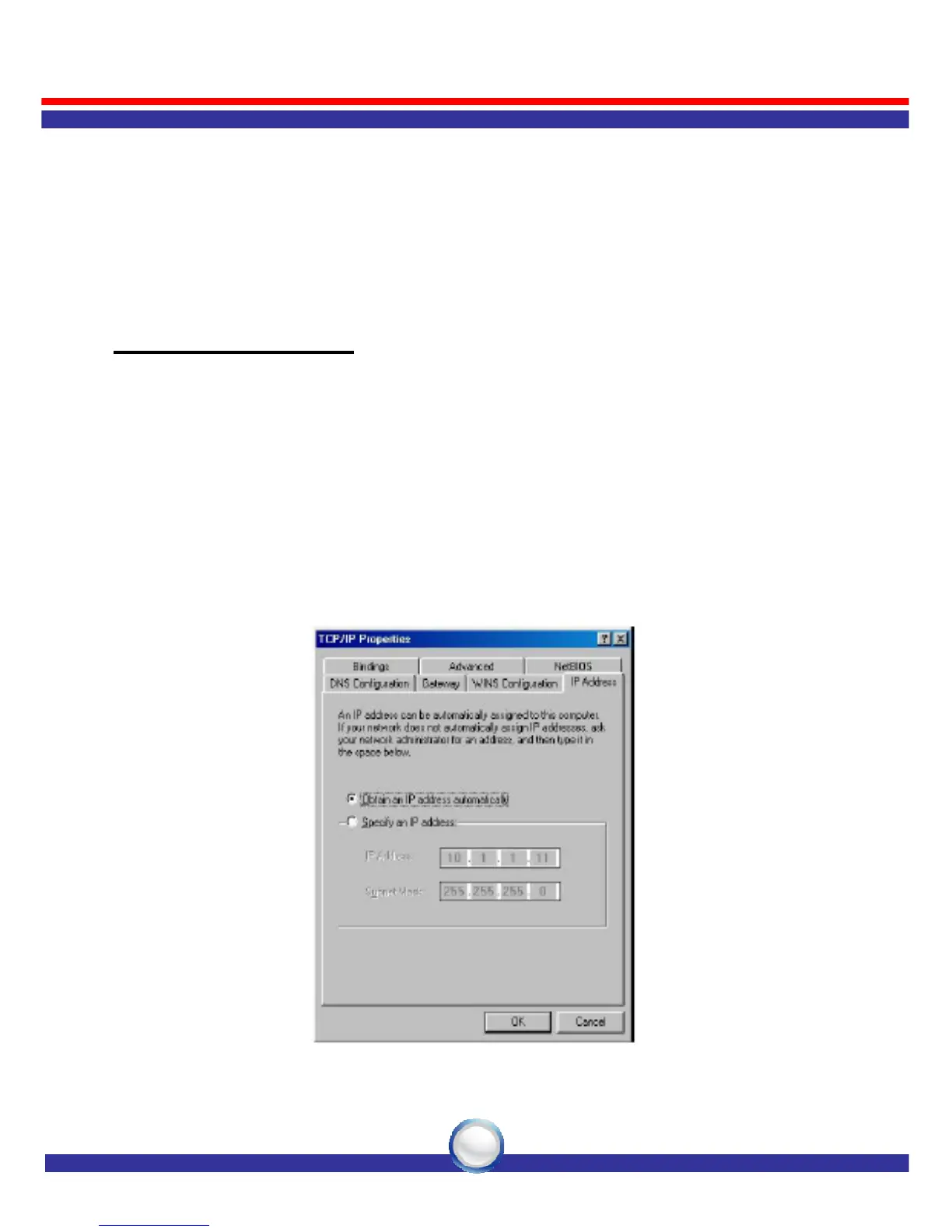
3. Select “Obtain an IP address automatically” in the “IP Address”
tab.



 To Next Page