LKR-604
15
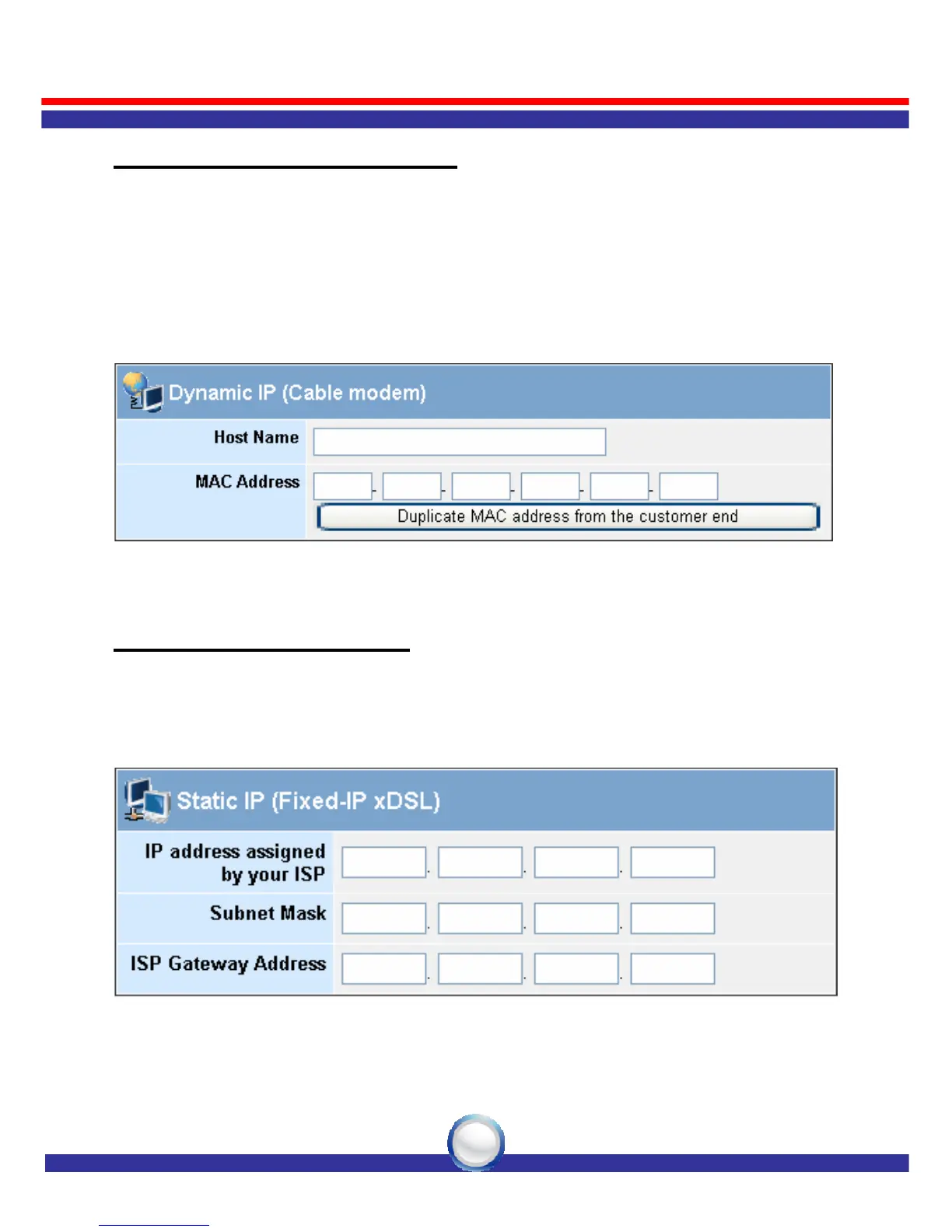
Dynamic IP (Cable Modem)
To connect to a Dynamic IP (Cable Modem) Broadband Internet
connection with the LKR-604 Broadband Router, check the Cable
Modem with the related user’s guide. The Cable Modem will
automatically configure itself, and the LKR-604 Broadband Router is
configured to automatically assign IP addresses to each PC. If required
by your ISP, input a host name and MAC address.
Static IP (Fixed-IP xDSL)
If your Internet Service Provider (ISP) has assigned you a fixed IP
address, select this option. Enter the assigned IP address, subnet mask,
and the gateway IP address for the LKR-604 Broadband Router.



 To Next Page