LKR-604
10
Windows Vista
1. Click the “Start” button then right-click “Network” then click
“Properties”.
2. Under “Tasks” located on the left-hand side of the windows, click
“Manage network connections”.
3. Right-click “Local Area Connection” listed under “LAN or
High-Speed Internet” then click “Properties”
.
4. Click “Continue” to open the “Local Area Connection Properties”
windows.
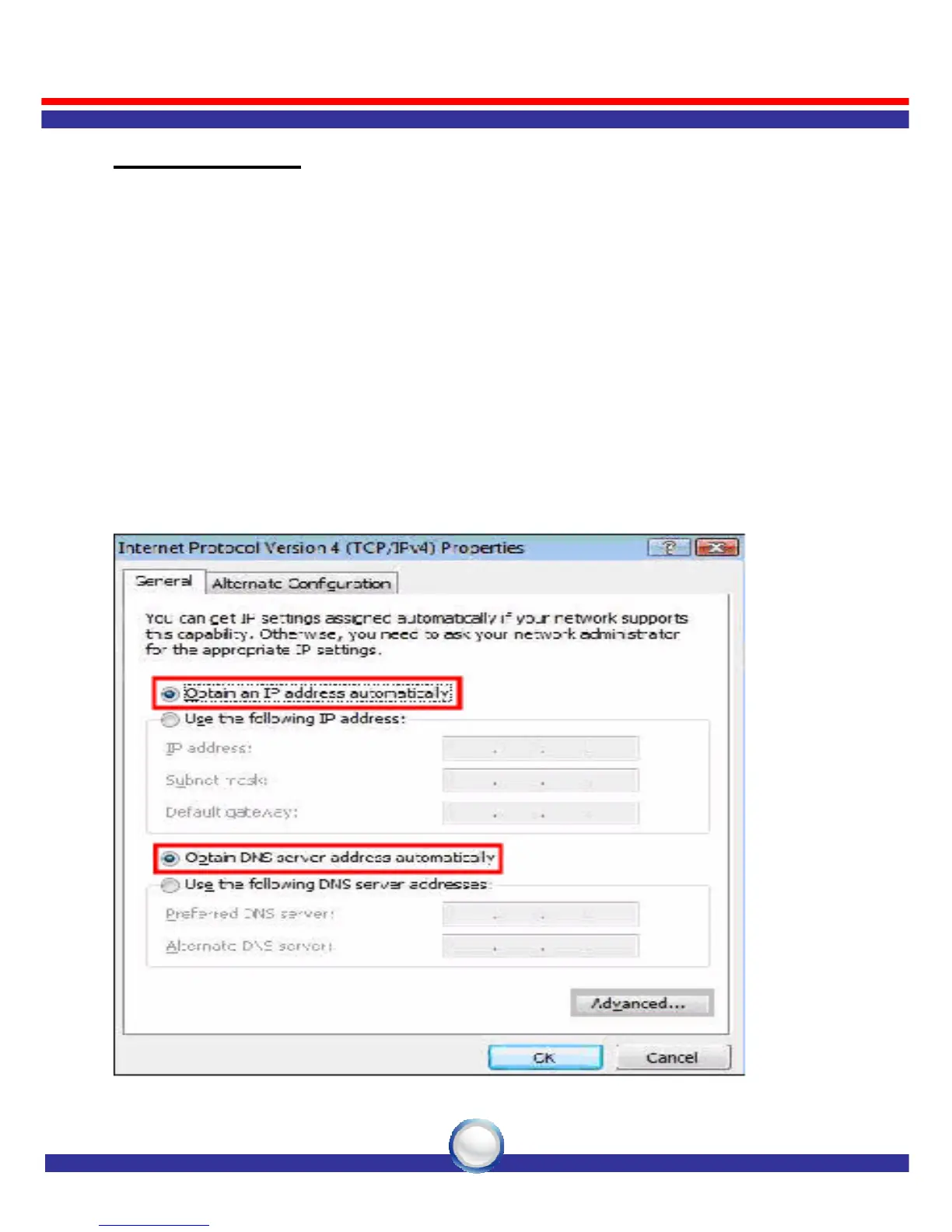
5. Select “Internet Protocol Version 4 (TCP/IPv4)”, then click
“Properties” button.
6. Select “Obtain an IP address automatically” and “Obtain DNS
server address automatically” in “General” tab.
7. Click “OK” button.



 To Next Page