10
•
Bri
dge Mode
Bridge Mode disables all router capabilities and turns the router into an access point. The
router will cease to act as a DHCP server and its built-in firewall as well as the NAT features
will no longer be in effect.
•
Wireless Bridge
A wireless bridge wirelessly connects to your main router and can share the internet
connection with devices connected to the bridge’s Ethernet ports.
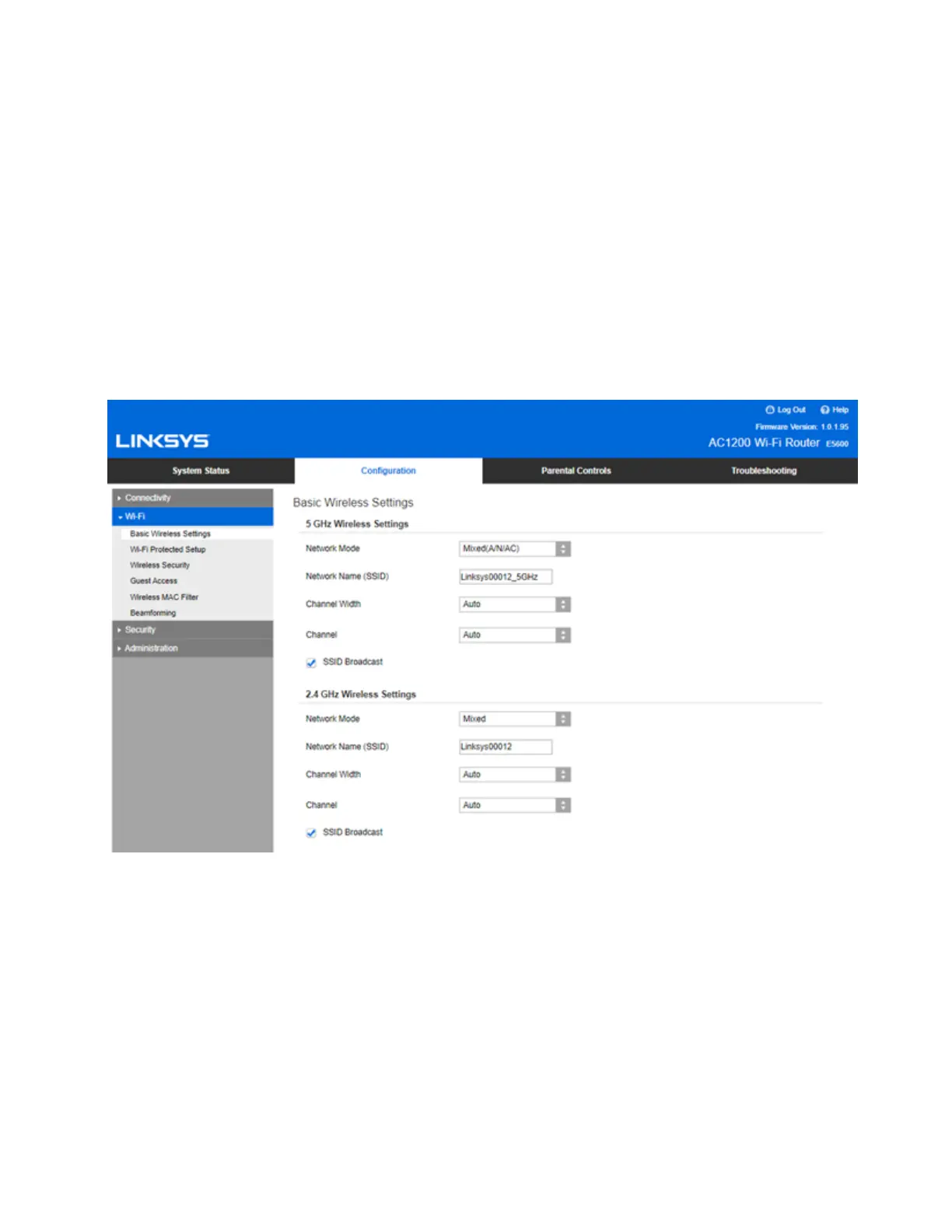
Basic Wireless Settings
Net
work Mode-----Select the wireless standards your network will support.
• Mixed (default)
Keep the default if you have Wireless-N, Wireless-N, and Wireless-AC devices in your
network.
• Wireless-A Only
Select if you have only Wireless-A devices.


 To Next Page