EasyManua.ls Logo

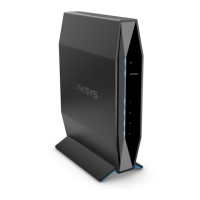
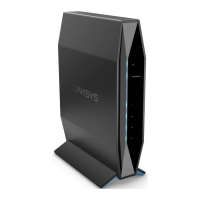
Linksys E7350 - User Manual

Linksys E7350
155 pages
Print Icon
To Next Page IconTo Next Page
Loading...
USER GUIDE
AX1800
DUAL-BAND WiFi 6 ROUTER
Model E7350

Table of Contents

Questions and Answers

  • K
    kimberly45Aug 7, 2025
    How to fix Linksys E7350 if it was not successfully set up?
    • N
      Nancy MatthewsAug 7, 2025
      If your Linksys Wireless Router was not successfully set up, try the following: first, press and hold the Reset button on your router with a paperclip or pin until the power light turns off and starts blinking (about 10 seconds), then type 192.168.1.1 in a browser to try setup again. You can also temporarily disable your computer’s firewall and reinstall the router. If you have another computer, use that computer to install the router.
  • J
    James MayerAug 17, 2025
    What to do if my Linksys E7350 says 'Your Internet cable is not plugged in'?
    • R
      Ryan MillsAug 17, 2025
      If you receive a 'Your Internet cable is not plugged in' message, ensure an ethernet or internet cable is securely connected to the yellow Internet port on the back of your Linksys Wireless Router and to the appropriate Ethernet port on your modem. Also, make sure your modem is connected to power and turned on. If your internet service is cable, verify that the cable modem’s CABLE port is connected to the coaxial cable provided by your ISP. If your internet service is DSL, ensure the DSL phone line is connected to the modem’s DSL port. If your computer was previously connected to your modem with a USB cable, disconnect the USB cable. If the problem persists, try reinstalling the router.
  • G
    Garrett JacksonOct 27, 2025
    What to do if the internet is unavailable on my Linksys E7350?
    • K
      krystaldeanOct 27, 2025
      If the internet appears to be unavailable, it may be due to communication issues between the internet and your router. First, ensure that the network and power cables are securely connected and that the power outlet your router is connected to is working. Rebooting your router can also help. Another method of troubleshooting is to disconnect the power cord from both the router and the modem, wait 10 seconds, then reconnect the power cord to the modem. Wait until the modem’s online indicator has stopped blinking (about two minutes), then reconnect the power cord to the router. Wait until the flashing green LED between the Reset button and power port is solid and give it two minutes before trying to connect to the internet from a computer. If the problem persists, contact your ISP to inquire...

Summary

Product Overview

Front Panel

Details about the front panel of the router, including its lights and ports.

Back Panel

Details about the back panel of the router, including buttons and ports.

Setting Up Your Router

Finding Additional Help

Information on where to find additional help and resources for the router.

Router Installation Guide

Step-by-step guide on how to physically connect and set up the router.

Advanced Configuration

Accessing the Browser-Based Utility

Instructions on how to access the router's advanced settings via a web browser.

Changing Router Language

Guide to changing the router's interface language via the browser-based utility.

Basic Router Settings

Internet Setup

Basic Wireless Settings

Wireless Security Configuration

Troubleshooting Common Issues

Setup Process Failure

Steps to resolve issues if the router setup process fails.

Internet Cable Not Connected Error

Troubleshooting steps for a 'cable not plugged in' error during setup.

Cannot Access Router Interface

Guidance for resolving issues when unable to access the router's interface.

Post-Setup Internet Issues

Internet Unavailable After Setup

Steps to fix problems where the internet connection is not working after setup.

Router Specifications

Linksys E7350 Specifications

General IconGeneral
Ethernet WANYes
SIM card slot-
Product typeTabletop router
Product colorBlack
LED indicatorsLAN, Power
Antennas quantity2
Wi-Fi bandDual-band (2.4 GHz / 5 GHz)
Wi-Fi standards802.11a, 802.11b, 802.11g, Wi-Fi 4 (802.11n), Wi-Fi 5 (802.11ac), Wi-Fi 6 (802.11ax)
Top Wi-Fi standardWi-Fi 6 (802.11ax)
WLAN data transfer rate (max)1800 Mbit/s
WLAN data transfer rate (first band)600 Mbit/s
WLAN data transfer rate (second band)1200 Mbit/s
Maximum coverage0.14 m²
Networking standardsIEEE 802.11a, IEEE 802.11ac, IEEE 802.11ax, IEEE 802.11b, IEEE 802.11g, IEEE 802.11n
Ethernet LAN interface typeEthernet
Ethernet LAN (RJ-45) ports4
USB 3.2 Gen 1 (3.1 Gen 1) Type-A ports quantity1
Internal memory256 MB
Processor frequency880 MHz
Security algorithmsWPA2, WPA3

Videos

How to Set Up LINKSYS E7350

Related product manuals