10 | CONTROLS AND CONNECTIONS
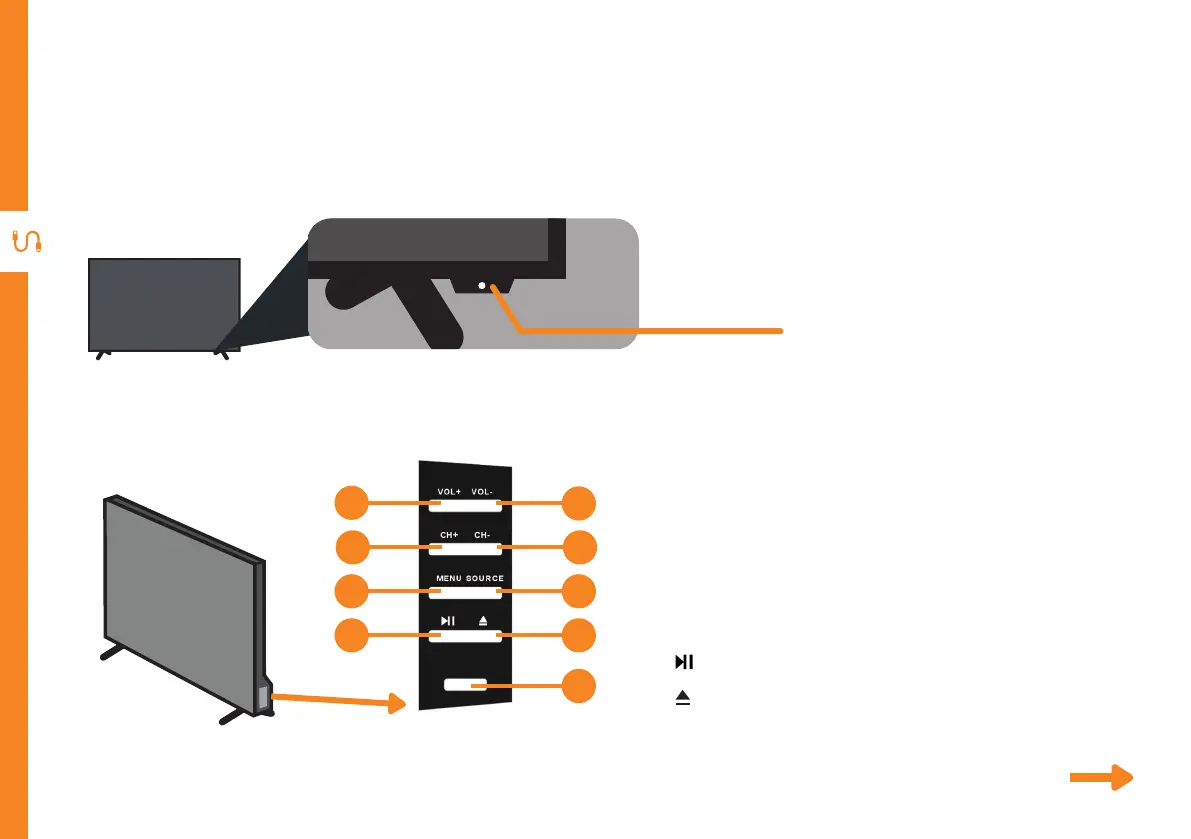
STANDBY
See next page for more info on the connections.
1. VOL + : Increase the volume level.
2. VOL - : Decrease the volume level
3. CH + : Select the next channel.
4. CH - : Select the previous channel.
5. MENU : Enter the settings menu.
6. SOURCE : Change the input source.
7. : Play or pause plackback.
8. : Eject a disc from the DVD player.
9. STANDBY: Switch the TV ON or to Standby.
Controls and Connections
1
5
3
7
2
6
4
8
9
Buttons on the TV
Get to know your TV
On/Standby light and
Remote sensor



 To Next Page