CONTROLS AND CONNECTIONS | 11
1
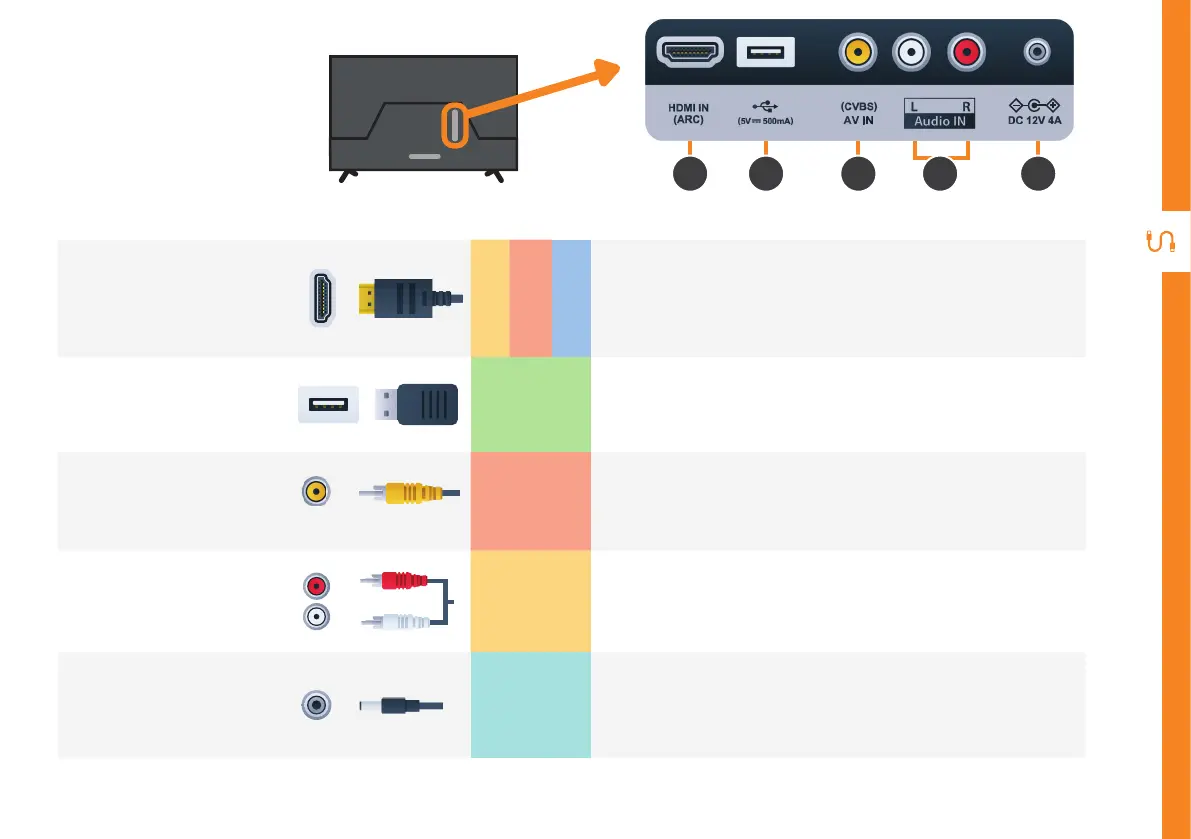
HDMI IN
SOUND
PICTURE
COMPUTER
All-digital connection between the TV and any HDMI device.
Supports Full HD. Requires a HDMI cable (not included).
2
USB
STORAGE
• PVR record and pause live TV
• Play your stored media files (supported file codecs and
extensions may vary)
• Software updates
3
AV IN
(CVBS)
PICTURE
You can use this to connect your DVD player. Supports
Standard Definition (SD) picture quality. Requires an AV cable
(not included).
4
AUDIO IN
SOUND
You can use this to connect Audio to your TV for AV or
Component video inputs. Requires a RCA Stereo Audio cable
(not included).
5
12V Power
POWER
You can connect the supplied 12V car adaptor to this socket
and the car's cigarette lighter socket.
Ports on the TV
3 521 4
AV IN



 To Next Page