16 | REMOTE CONTROL
TE
7
9
GUIDE
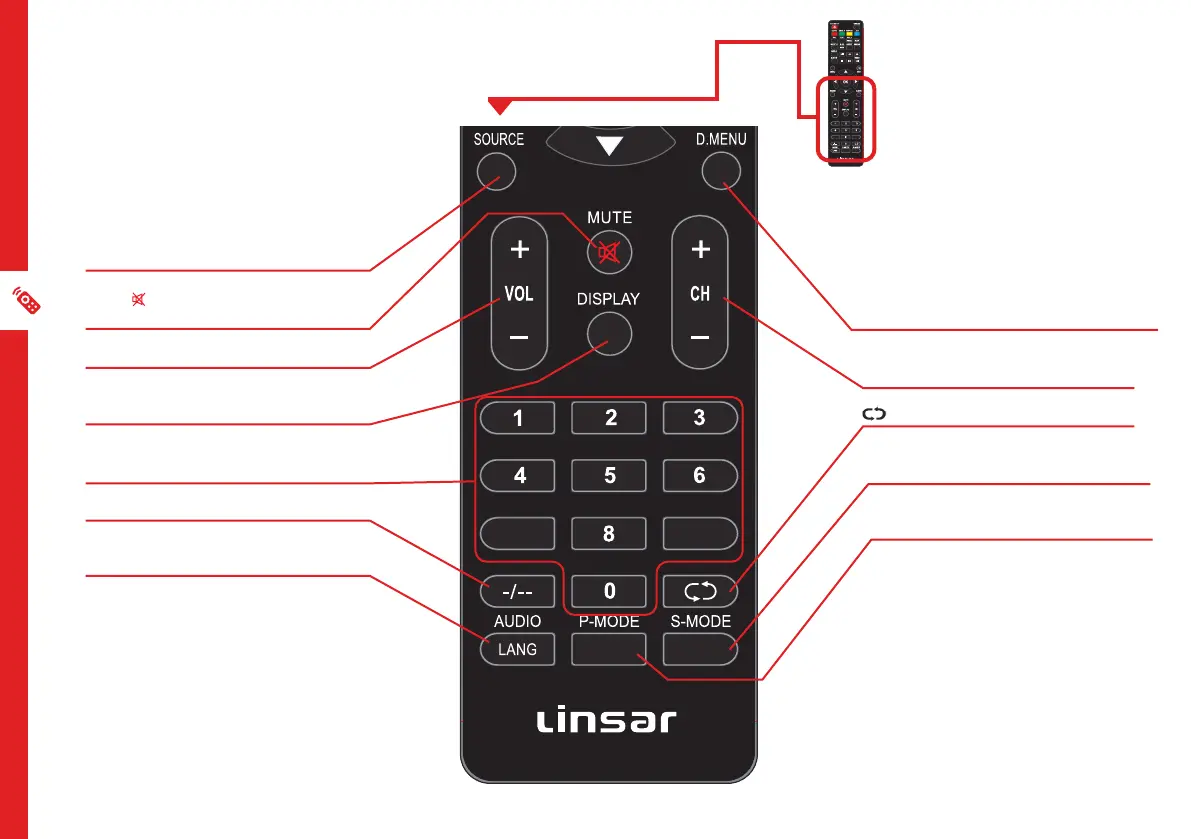
SOURCE: Switch the input source.
MUTE/ : Mute the sound. Press again or
press V+ to restore the sound.
VOL +/-: Turn the volume up/down.
DISPLAY: Display information of the
current program.
NUMBER BUTTONS (0-9): Press to select a
TV channel directly when watching TV.
-/--: Switch the digits.
AUDIO/LANG: Switch the available sound-
track language (DTV/DVD).
GUIDE/D.MENU: Launch the TV Guide (DTV).
CH +/-: Change to the next or previous
channel.
: Return to the previous channel.
S-MODE: Cycle through the different sound
modes.
P-MODE: Cycle through the different picture
modes.
** Teletext is no longer available in
Australia.
7
9
EJECT
REC
GUIDE



 To Next Page