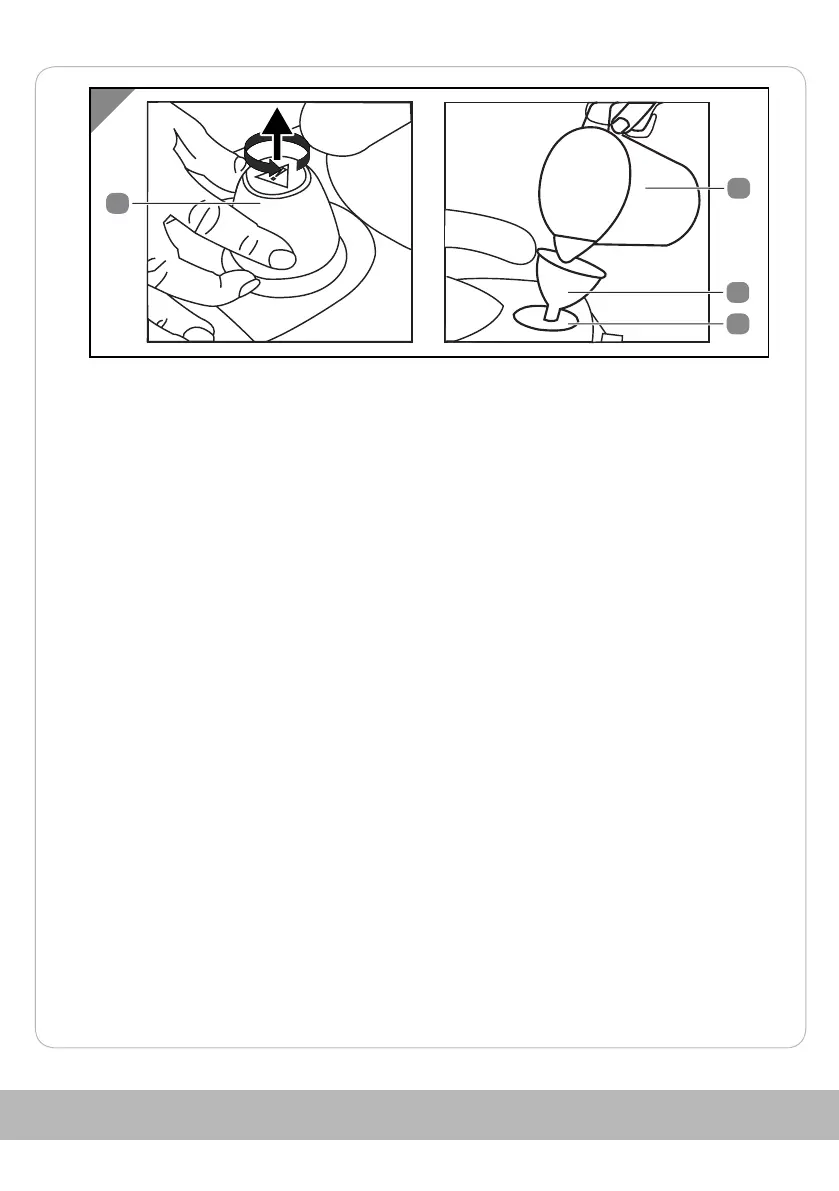
1. Unscrew the tank cap 4 anticlockwise from the water tank 5.
2. Fill the water tank with a maximum of 1.5 litres using the funnel 11 and the
measuring cup 10 .
3. Screw the tank cap clockwise onto the water tank.
The water tank is filled.
Switch on
1. Insert the mains plug into a socket.
2. Press the on/off switch 2.
The device heats up and the ON/OFF indicator light 1 and the steam ready
indicator light 9 lights up.
3. Wait until the steam ready indicator light goes out.
The device is ready for operation.
57



 To Next Page