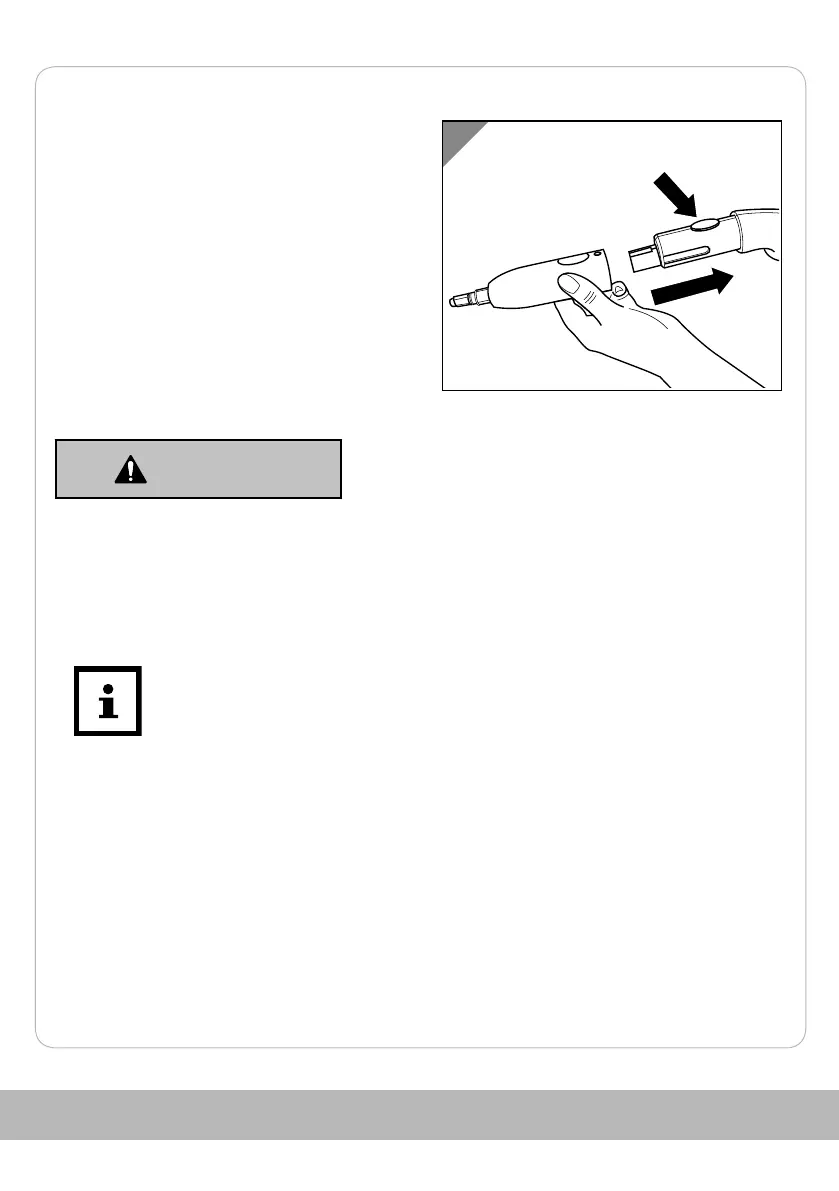
Attaching accessories
1. Press and hold the locking device on
the top of the pistol 7.
2. Slide the desired accessory (see
chapter Accessories), with the locking
device facing upwards, onto the pistol
until it clicks into place.
The accessory is attached.
Steam cleaning
Risk of scalding!
WARNING!
Hot water can accumulate in the device and leak or spray out of
the steam nozzle.
-
Do not press the steam switch until the steam ready indicator
light goes out.
Before and during steam cleaning
The steam ready indicator light 9 switches on repeatedly during use and
switches off again when the operating pressure is reached.
Locking and unlocking the steam switch
The steam switch lock prevents steam from escaping if the steam switch is touched
unintentionally.
58



 To Next Page