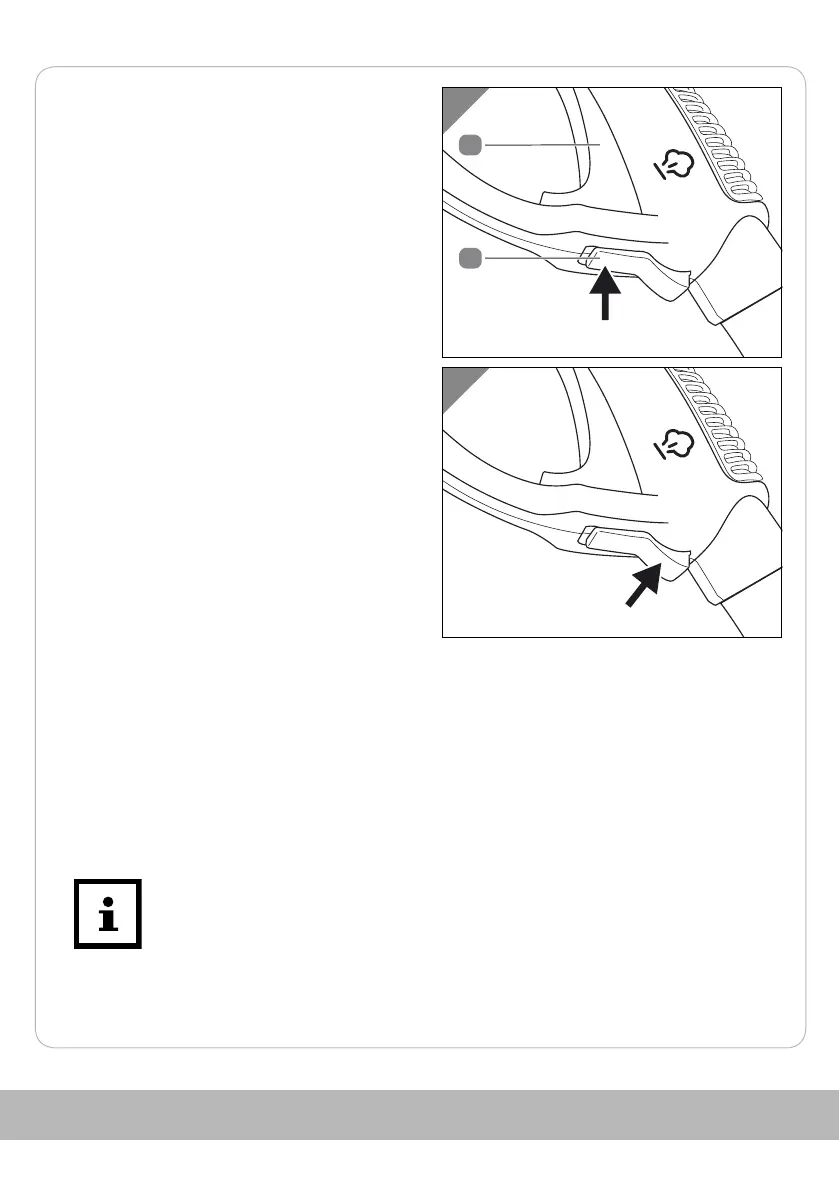
- Press the lock 22 upwards until it
engages.
The steam switch 6 can no longer be
operated.
- Push out the lock to release it.
Activate and deactivate steam jet
- Press the steam switch 6.
You can determine the amount of steam steplessly using the steam switch:
Less steam: Press the steam switch only lightly.
A lot of steam:Press the steam switch all the way down.
The steam jet is activated.
- Release the steam switch.
The steam jet is deactivated.
At the beginning of steam cleaning or after breaks of several minutes,
empty the residual water by directing the steam jet into a container.
59



 To Next Page