TrainMaster Command Control operations
Reprogramming your locomotive to restore features
I
f your locomotive is unresponsive to your commands in the TrainMaster Command Control
environment, we recommend that you follow this procedure to reset your locomotive.
1. Slide the Command reverse unit switch to the PGM position.
2. Plug in and connect your Command Base.
3. Place your locomotive on the track, then power up the track.
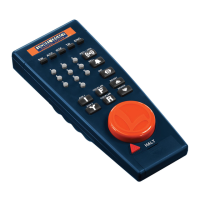
4. Press ENG and enter the locomotive’s ID#.
5. Press SET.
6. Press ENG and enter the locomotive’s ID# again.
7. Press AUX1.
8. Enter 2 for this particular locomotive.
9. Turn off track power and wait ten seconds.
10. Slide the Command reverse unit switch back to the RUN position.
At this point, your locomotive has been reset. Restore power to the track and operate the
locomotive as usual. Be sure to use the ID# entered in Step 4.
22








 To Next Page