Rev: 08.31.20 Page 19 CCD-0002697
Loading Configuration
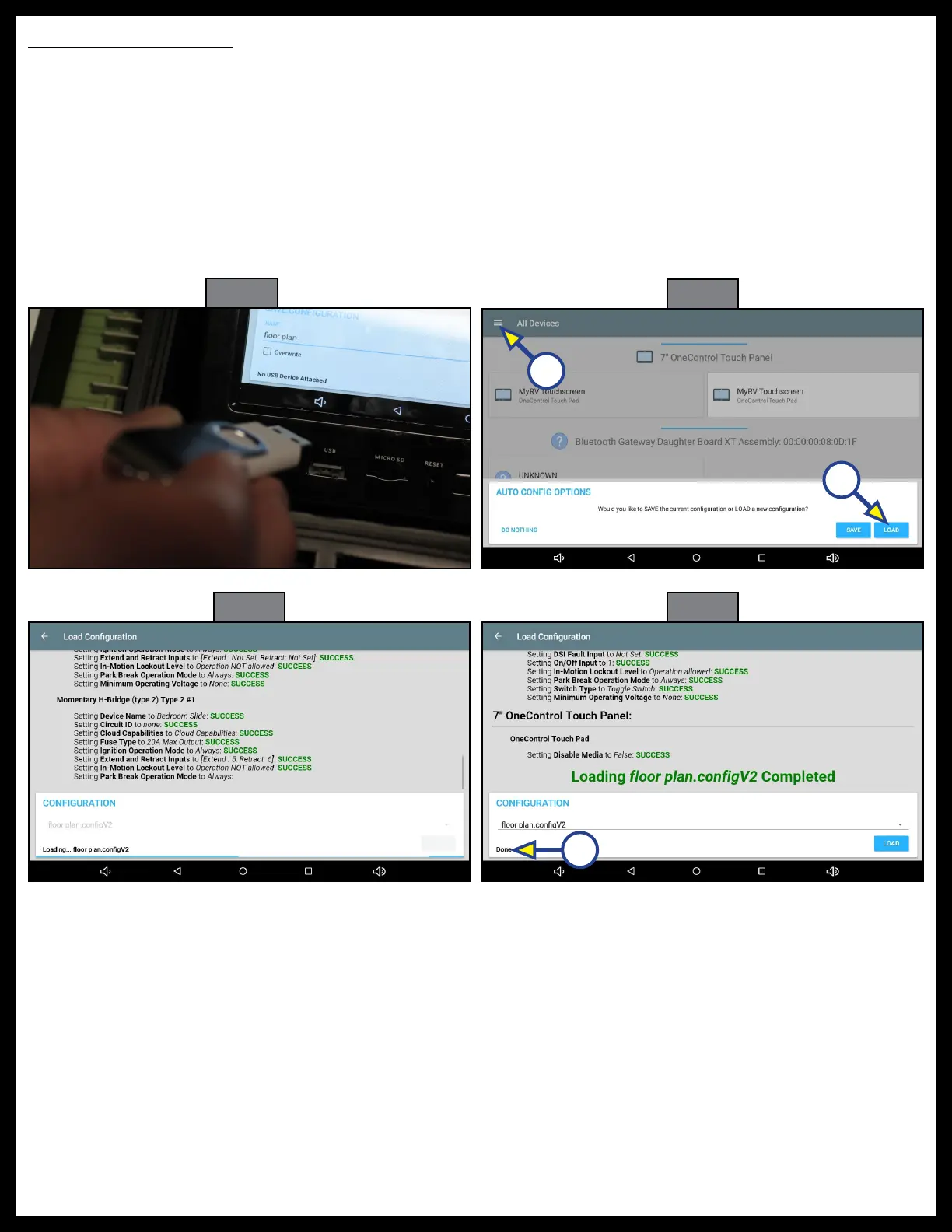
1. Insert programmed thumb drive into the USB port of the OneControl Touch Panel (Fig. 69).
2. A dialogue box will ask whether to save or load the configuration (Fig. 70). Press LOAD (Fig. 70A).
NOTE: If the box doesn't pop up automatically, it can be accessed by pressing the menu bars in the top left
corner beside All Devices (Fig. 70B).
3. Wait a few moments while the configuration is loading (Fig. 71).
4. The loading is completed when Done appears in the bottom left-hand corner of the box (Fig. 72A).
NOTE: A file extension is automatically added to the file name so the file appears as floor plan.configV2.
5. Remove thumb drive.
Fig. 69
Fig. 70
Fig. 71
Fig. 72
A
A
B



 To Next Page