Rev: 08.06.18
Page 3
CCD-0001736
Programming
Connecting The OneControl
®
Tablet To The OneControl
®
Wireless Network
NOTE: Tablet MUST be connected to OneControl® Wifi Hub to complete the programming process.
Placing the hub in a high location away from appliances such as microwaves and refrigerators will
minimize interference.
1. On the OneControl® home page, select “Apps & Internet.”
2. On the "Apps and Internet Browser," select the “WiFi Manager.”
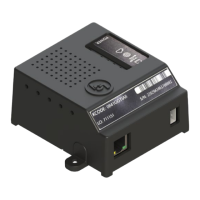
3. Locate the OneControl® Hub (Fig. 1) or Range Extender (Fig. 2) and the label which contains the SSID
and password to the OneControl® system.
4. Match the SSID on the OneControl® Hub or Range Extender (Figs. 1A and 2A) to the corresponding
SSID in the "Wifi Manager."
5. Select the SSID and enter the password located on the OneControl® Hub or Range Extender (Figs. 1B
and 2B) then press "Connect."
NOTE: In order to charge the tablet out of the dock, a 5 volt, 1.8 amp micro USB charger or barrel charging
connector is needed.
A
B
Docking Station
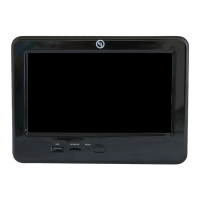
The OneControl® system includes a tablet docking station. This is typically mounted near the center of the coach,
and houses the tablet when the wireless operation is unnecessary or during travel. The docking station is wired to
the coach power system and will charge the tablet during its storage period. The docking station is also wired for
communication with the various controllers in the coach. This allows the tablet to function when stored in the dock
and becomes non-reliant on the wireless hub to do so.
Wireless Hub and Range Extender
The OneControl® system is equipped with a wireless hub and range extender. When powered, the hub and range
extender provide the perimeter of the coach with wireless connectivity. This allows the tablet to effectively send
commands wirelessly to the OneControl® system. The hub's and range extender's only purpose is to provide
wireless connectivity. The hub and range extender do not keep configuration data, so when troubleshooting
wireless connection concerns, ensure the tablet can operate the OneControl® Control Panel when housed in the
docking station. Again, as long as there is power to the coach, the OneControl® system should operate from the
dock.
A
B
Fig. 1
Fig. 2



 To Next Page