Need help?
Do you have a question about the Lippert Components Tire Linc and is the answer not in the manual?
Understand warnings for death, injury, or property damage.
Caution about pinch, crush, or cut hazards from moving parts.
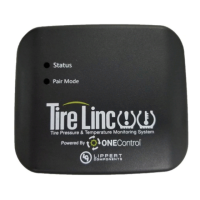
Steps to link the Alert Indicator to the Repeater device.
Explains LED status for connection, range, faults, and battery levels during pairing.
Instructions for obtaining and opening the LCI OneControl mobile application.
Follow prompts for initial setup and configuration of the OneControl app.
Accessing the settings menu within the OneControl application.
Steps to scan and add the Tire Linc system as an accessory in the app.
Choosing the correct vehicle type and model within the app.
Specifies the order for pairing sensors based on single, double, or triple axle trailers.
Notes on trailer type, lock nuts, and sensor availability.
Process of installing sensors and confirming they are detected by the app.
Explains how sensor data affects pressure/temperature limit estimations.
Step-by-step guide to pair sensors using the Alert Indicator.
Understanding LED feedback during pairing and after entering monitor mode.
How often sensors transmit data based on tire movement.
How the Alert Indicator scans data when powered via USB or battery.
Meaning of LED colors (green, yellow, red) indicating system status.
Displaying tire pressures and temperatures on the smart phone app.
Viewing and modifying tire pressure, temperature, and limits.
Cautions regarding maintaining proper tire pressure and temperature.
How to set low and high pressure limits for tires.
How to set high temperature limits and maximum temperature change limits.
Procedure for removing a sensor and replacing its battery.
How to reset the system settings to factory defaults.
Steps to check for power issues with the system dock.
Warning against pressing the 'Learn Sensors' button to avoid resetting the system.
 General
| Type | Tire Pressure Monitoring System (TPMS) |
|---|---|
| Application | Recreational Vehicles (RVs), Trailers |
| Sensor Type | Wireless |
| Measurement Range | Tire pressure and temperature |
| Accuracy | +/- 1 PSI |
| Operating Temperature | -40°F to 185°F |
| Connectivity | Wireless |
| Wireless Range | Up to 100 feet |
| Alerts | High Pressure, Low Pressure, High Temperature |

 To Next Page