11 | Moku:Go Laser Lock Box User Manual © 2023 Liquid Instruments. All rights reserved.
Digital filter configuration
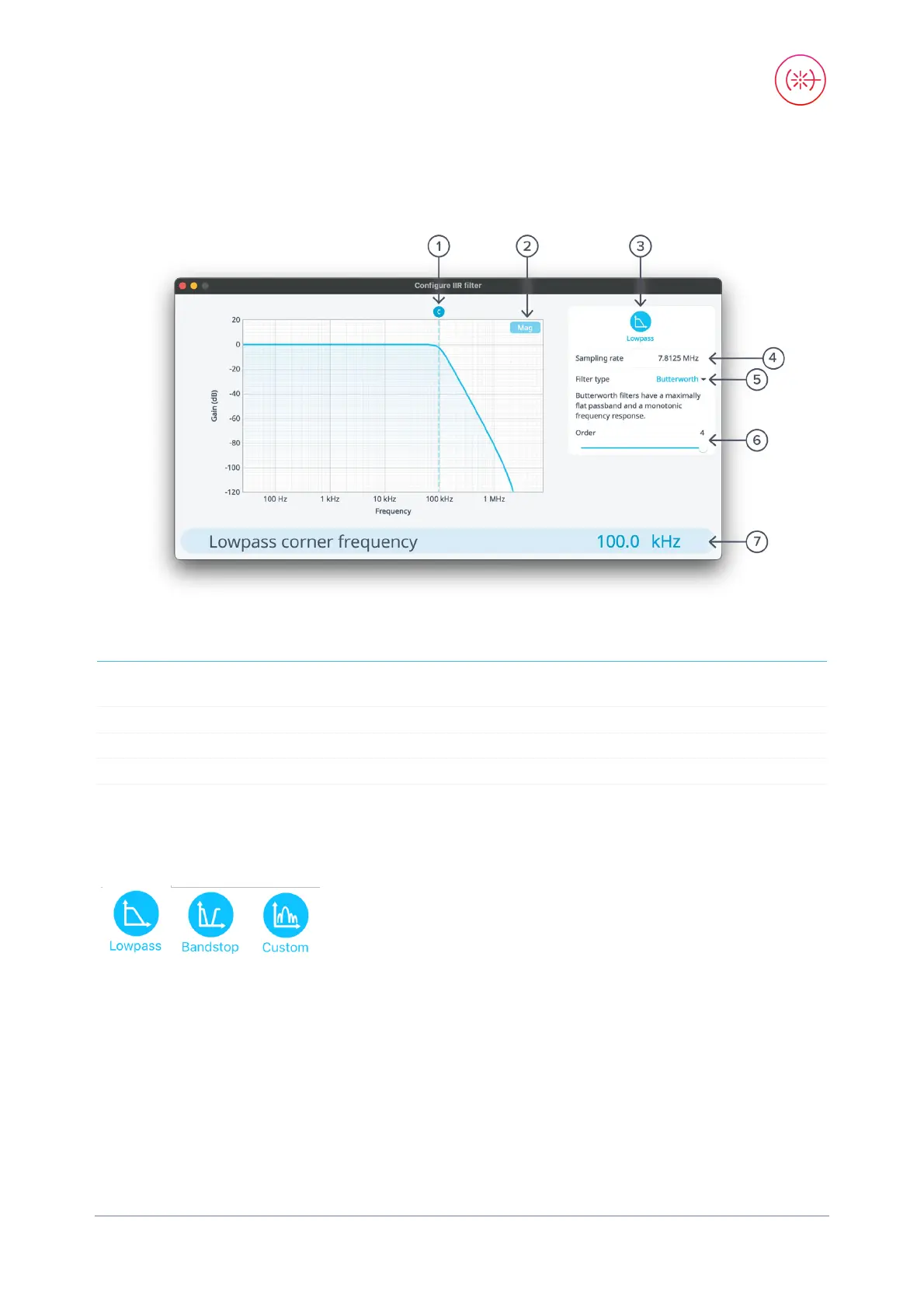
Immediately after the demodulator function, there is a digital filter designed to remove unwanted
signal components. This is highly configurable; just tap the lowpass filter icon.
1 Configure lowpass filter corner frequency:
tap to enter frequency or touch and drag
5 Tap to select filter type
2 Toggle between magnitude or phase plots 6 Tap to select filter order
3
Tap to select filter shape
7
Tap to enter corner frequency
4
Fixed sample rate of 7.8125 MHz
Filter shapes
Select the shape of the filter by tapping the filter icon. There are two pre-defined filter shapes and a
fully customizable filter option.


 To Next Page