17 | Moku:Go Laser Lock Box User Manual © 2023 Liquid Instruments. All rights reserved.
Data Logger
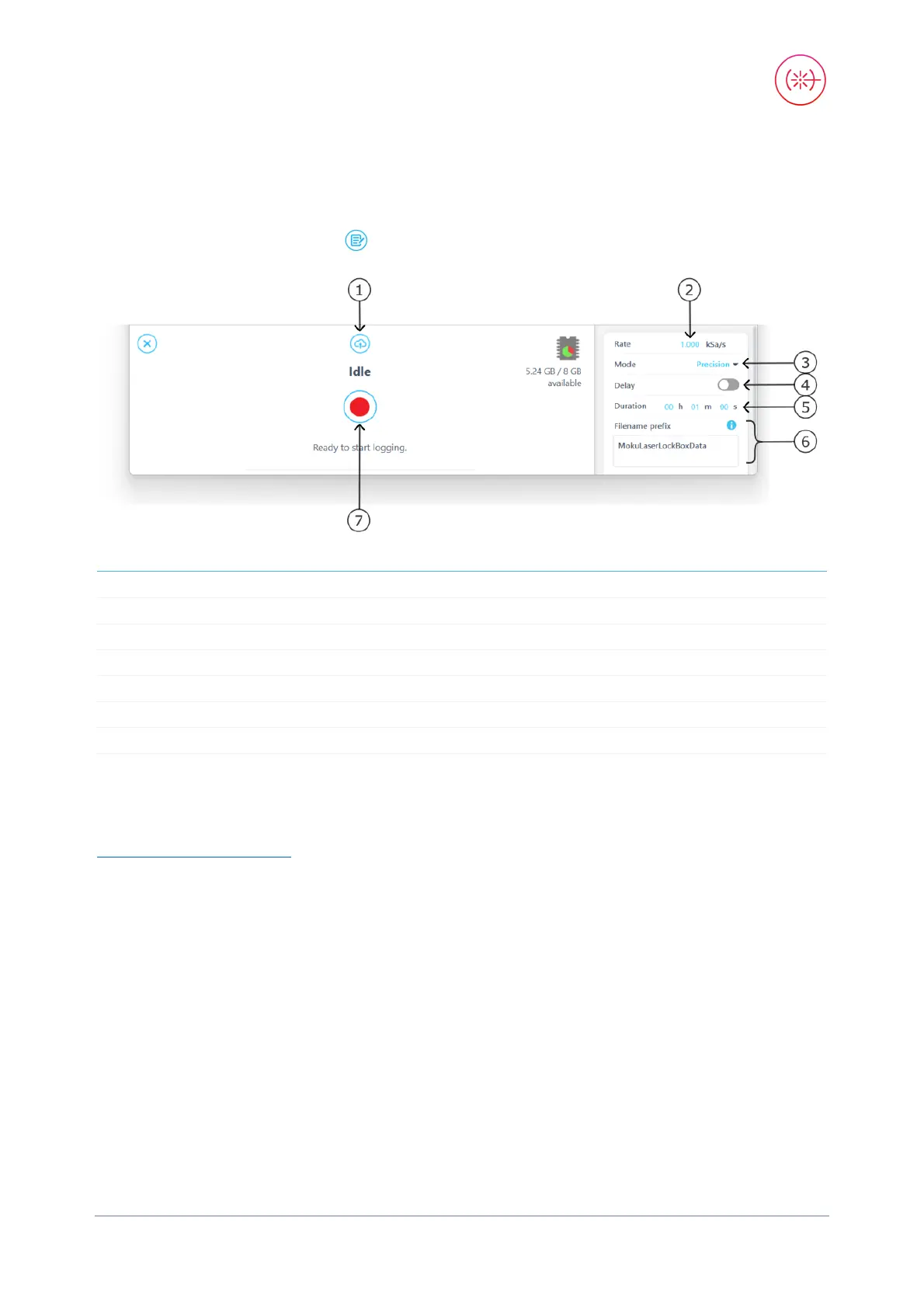
The built-in Data Logger allows you to acquire data from up to four probe points at a time at a
maximum sampling rate of 500 kSa/s with 2 channels and 1 MSa/s with 1 channel. To access the
data acquisition menu, press the icon. More details about Data Logger are available in the
Moku:Go Data Logger manual.
1
2 Select the sampling rate at which your measurement is recorded
3
Select between Normal, Precision, or Peak Detection acquisition modes
4
Configure when to begin recording data
5
Configure measurement duration
6
Change filename and comments for the logged file
7
The embedded Data Logger can stream over a network or save data on Moku:Go. For details, refer
to the Data Logger user manual. More streaming information is in our API documents at
apis.liquidinstruments.com


 To Next Page