12 | Moku:Pro Waveform Generator User Manual © 2023 Liquid Instruments. All rights reserved.
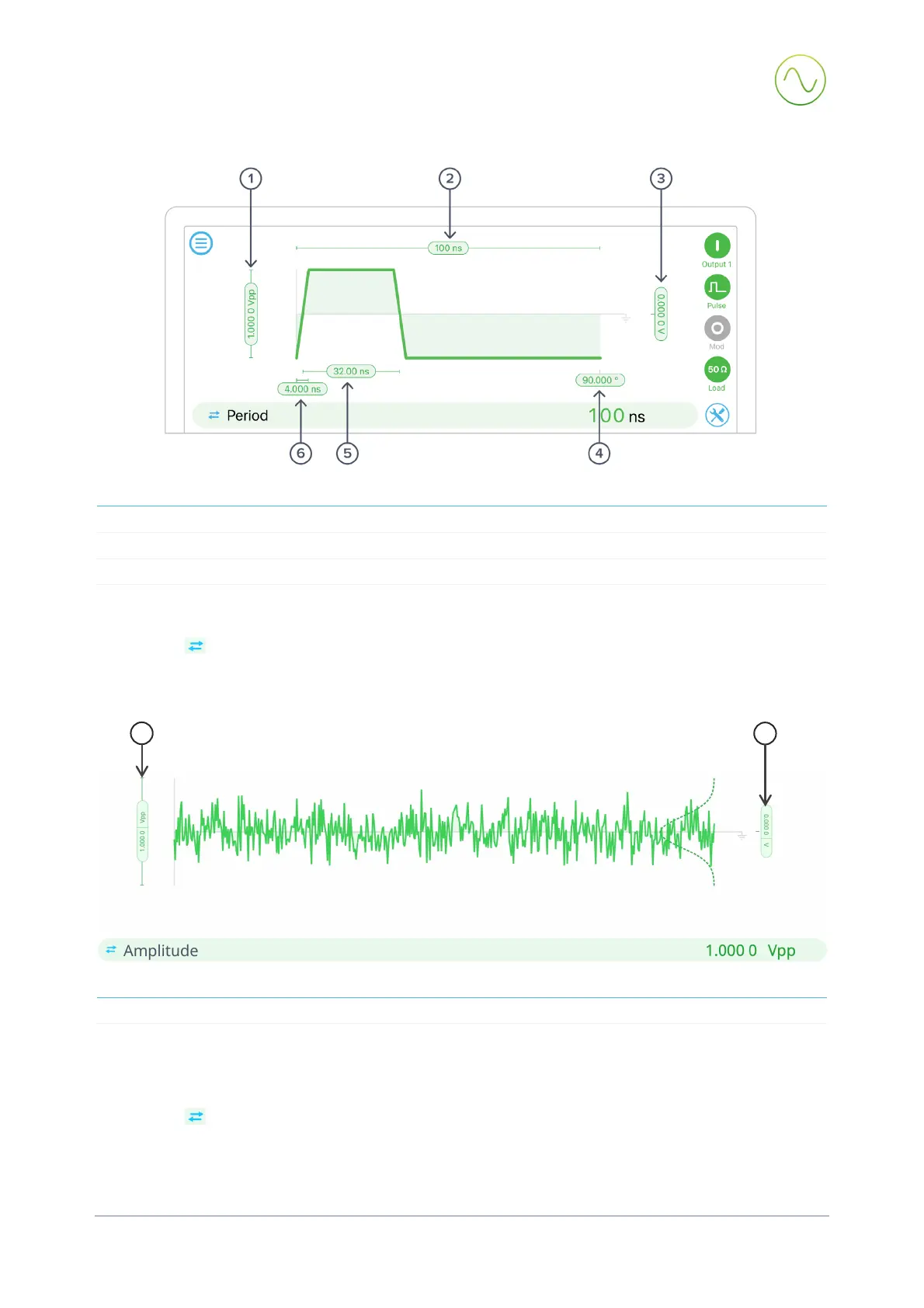
Pulse wave
1
4
2 Signal frequency (period) 5 Pulse width
3
6
Tap or click pill 1 - 6 to select and change values. The selected parameter is shown in, and can be
edited from, the bar below. Alternative representations (shown in parentheses) can be selected by
clicking the button.
Noise
1
2
Click pill 1, 2 to select and change values. The selected parameter is shown in, and can be edited
from, the bar below. Alternative representations (shown in parentheses) can be selected by
clicking the button.
1
2


 To Next Page