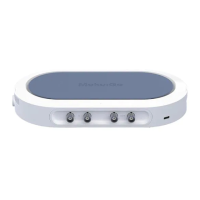
The Moku:Pro Waveform Generator is a versatile instrument designed to generate common signals with high accuracy and configurability across four independent output channels. It supports a variety of waveforms, modulation types, and triggering modes, making it suitable for a wide range of applications.
Function Description:
The primary function of the Moku:Pro Waveform Generator is to produce precise analog signals. Each of its four output channels can be independently configured to generate one of six predefined waveforms: Sine, Square, Ramp, Pulse, Noise, and DC. The outputs are precisely adjustable for frequency, phase, and amplitude. Beyond basic signal generation, the device offers advanced modulation capabilities, allowing outputs to be modulated with internally generated or external signals. It also supports flexible, programmable triggers for various operational modes.
Important Technical Specifications:
- Sine wave: The simplest dynamic signal, featuring extremely low harmonic distortion for a pure single frequency. It can be modulated by all available modulation types except Pulse-width Modulation (PWM) and forms the basis for the "Internal" selectable modulation source.
- Square wave: A low-jitter waveform with a fixed 50% duty cycle and high slew rates, offering sharp rise and fall times due to the Moku:Pro's high analog bandwidth.
- Ramp wave: Consists of linear ramps from a low level to a high level and back again. Its symmetry, defined as the ratio between the time spent rising and the overall period, is configurable.
- Pulse wave: Similar to the Square wave but with configurable duty cycle and edge times (rise and fall time). While offering more flexibility, it may exhibit slightly worse edge jitter at high frequencies compared to the Square wave. It uniquely supports Pulse-width Modulation (PWM).
- Noise: Generates approximately Gaussian, white noise.
- DC: Provides a high-precision, fixed reference voltage at the output.
- Amplitude: Specified as a Peak-to-Peak value (high level minus low level). Applicable to Sine, Square, Ramp, Pulse, and Noise waveforms. Users can also specify high and low levels explicitly.
- Frequency: Specified in Hertz, and can also be represented as period in seconds. Applicable to Sine, Square, Ramp, and Pulse waveforms.
- Offset: The average value of the Sine wave over time. Alternatively represented as Low Level, which, when combined with High Level, also specifies Amplitude. Applicable to Sine, Square, Ramp, and Pulse waveforms.
- Phase: Defines the phase of the waveform relative to the Moku:Pro's internal reference clock. The "Sync Phase" button allows syncing the phase across all output channels. Applicable to Sine, Square, Ramp, and Pulse waveforms.
- Symmetry: (Ramp wave only) Ratio, in percent, between the time spent on the rising edge and the overall period. As symmetry approaches 0% or 100%, the ramp wave becomes a sawtooth.
- Pulse width: (Pulse wave only) Positive width of the pulse. Any specified Edge time is equally split between the pulse width and the rest of the cycle, preserving duty cycle when altering Edge time.
- Edge time: (Pulse wave only) Time taken to transition from low level to high and vice-versa, limiting the signal's slew rate. Edge time is equally split between high and low time, preserving duty cycle. Not adjustable when Pulse wave is pulse-width modulated (PWM).
- DC level: (DC wave only) Fixed voltage to output.
Output Configuration:
- Impedance: Moku:Pro analog outputs have an impedance of 50 Ω. The user interface allows changing the load impedance, which scales the voltage displayed on the screen to correspond to the output load, but does not affect the actual output voltage.
Modulation Types:
The Moku:Pro Waveform Generator supports Amplitude Modulation (AM), Frequency Modulation (FM), Phase Modulation (PM), and Pulse-width Modulation (PWM). The availability of modulation types varies by waveform (e.g., PWM is only for Pulse waves, Noise only supports AM).
- Amplitude Modulation (AM): Changes the amplitude of the generated signal proportionally to the modulation input. The actual proportion changed is called the modulation depth. Applicable to Sine, Square, Ramp, Pulse, and Noise.
- Frequency Modulation (FM): Changes the frequency of the generated signal proportionally to the modulation input. The change in frequency caused by a given input is called the modulation depth, with units of Hertz or Hertz per volt. Applicable to Sine, Square, Ramp, and Pulse.
- Phase Modulation (PM): Changes the phase of the generated signal proportionally to the modulation input. The change in phase caused by a given input is called the modulation depth, with units of degrees or degrees per volt. Applicable to Sine, Square, Ramp, and Pulse.
- Pulse-width Modulation (PWM): Changes the width of the positive pulse in the Pulse wave. With appropriate modulation depth, it can produce traditional 0-100% duty cycle PWM or pulse trains for driving servo motors, ESCs, etc. Applicable only to Pulse.
Modulation Sources:
Each modulation type can be driven by one of three sources:
- Internal: Modulation is driven by an internally generated sine wave of configurable frequency. The amplitude of this wave is "full range" and modulates to the specified depth.
- Input: Modulation is driven by an analog input. The depth is specified per volt on the input, and the user can select the input range, impedance, and coupling.
- Output: Modulation is driven by another output channel. This allows for complex multi-stage modulation, useful for generating "ideal" modulated signals or perturbing existing signals.
Triggered Modulation Modes:
Sine, Square, Ramp, Pulse, and Noise waves can be triggered from internal or external sources, with behavior varying by mode.
- Burst Mode: A trigger event causes the output to begin generating its configured waveform. Burst mode requires specifying a sub-mode:
- N-Cycle: Generates the specified number of cycles then re-arms. Not available for Noise.
- Gated: Continues generation while the trigger signal is asserted (level-triggered).
- Start: Begins generation on trigger and continues indefinitely.
- Applicable to Sine, Square, Ramp, Pulse, and Noise.
- Sweep Mode: Provides frequency modulation with a sawtooth, starting on a trigger event. Waveform generation begins at a start frequency and sweeps to an end frequency over a given duration. Not supported for Noise.
- Start frequency: Initial frequency of the output waveform on trigger detection.
- End frequency: Final frequency of the output waveform after the sweep duration.
- Sweep time: Time taken to sweep from start to end frequency.
Trigger Sources:
Burst and Sweep modes depend on the detection of a trigger event, which can come from three sources:
- Internal: Trigger event generated automatically at a specified rate (period).
- External: A rising edge on the back-panel External Trigger Input.
- Input: A rising edge past a specified voltage on an associated analog input channel.
- Output: A rising edge past a specified voltage on another analog output channel, offering flexible control over the trigger period.
Usage Features:
- User Interface: The Moku:Pro features a graphical user interface for easy configuration. Users can navigate between channels using dedicated icons.
- Parameter Adjustment: Parameters like amplitude, frequency, offset, phase, duty cycle, and edge time can be selected and changed via "pills" on the screen, with values edited from a bar below. Alternative representations for parameters are available.
- Output Enable/Disable: Output channels can be individually enabled or disabled with a simple tap.
- Settings Menu: Access to a settings menu allows applying settings from other channels, including syncing the output phase across all channels.
- Main Menu: Provides access to device selection, instrument switching, saving/recalling settings, resetting the instrument, enabling/disabling external 10MHz clock, switching UI modes (light/dark), reporting issues, accessing additional app settings, and help.
- Preferences Pane: Allows reassigning color representations for input, output, and math channels, connecting to Dropbox for data upload, enabling/disabling automatic app updates, managing auto-load settings, and resetting all instruments to default.
- Automatic Settings Save/Restore: Moku:Pro automatically saves instrument settings on app exit and restores them at launch (can be disabled).
- Automatic Reconnection: The device can remember the last used instrument and automatically reconnect at launch (can be disabled).
Maintenance Features:
- Firmware Updates: Users are encouraged to ensure Moku:Pro is fully updated for the latest information and features, with resources available on liquidinstruments.com.
- Reset Instrument: Option to reset the instrument to its default state (cannot be undone).
- Report an Issue: Direct access to notify the Liquid Instruments development team of any issues.
- Show Help: Provides guidance on using various instrument features.

 Need help?
 General

 To Next Page