8 | Moku:Pro Waveform Generator User Manual © 2023 Liquid Instruments. All rights reserved.
Output configuration
Enable / disable outputs
shows the output channel is disabled, tap to enable.
shows the output channel is enabled, tap to disable.
Impedance
Moku:Pro analog outputs have an impedance of 50 Ω. As such, voltages supplied to a 50 Ω load
will be reduced by a factor of two due to the voltage divider formed by the closed circuit. Changing
the load impedance on the user interface does not affect the actual output voltage. Instead, it
scales the voltage displayed on the screen corresponding to the output load.
Waveform types
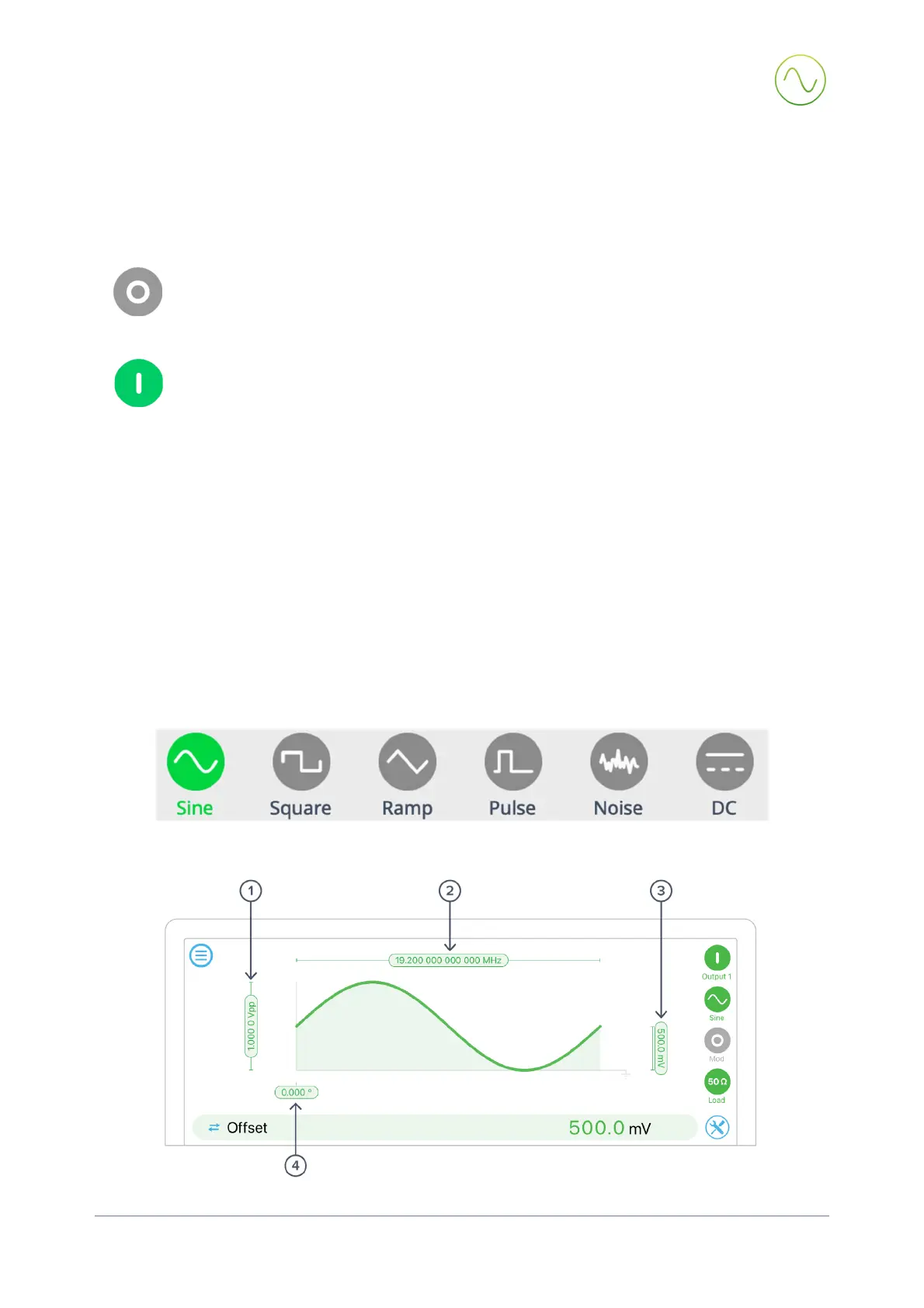
Each channel can be set to generate one of six predefined waveforms.
Sine wave


 To Next Page