10 LR-3200 Receiver Manual
6. Channel Select Mode
The Listen receiver is pre-programmed to operate on channel E (72 MHz) from the factory. To receive audio,
both the transmitter and receiver(s) need to be set to the same channel. If not, the receiver channel needs to
reprogrammed to the channel being broadcast. To adjust the receiver to a dierent listening channel, press
and hold the volume up and down buttons simultaneously for 5 seconds. The front program (red) LED will
begin to ash and the current channel will be heard in the ear speaker.
Use the volume up or down button to scroll through the available channels. Once the desired channel is
located mometarily press the power button to save and exit the channel select mode or if no button is
pressed for 5 seconds then the selected channel will be saved and the unit will exit the channel select mode.
See page 14-15 for complete channel selection information.
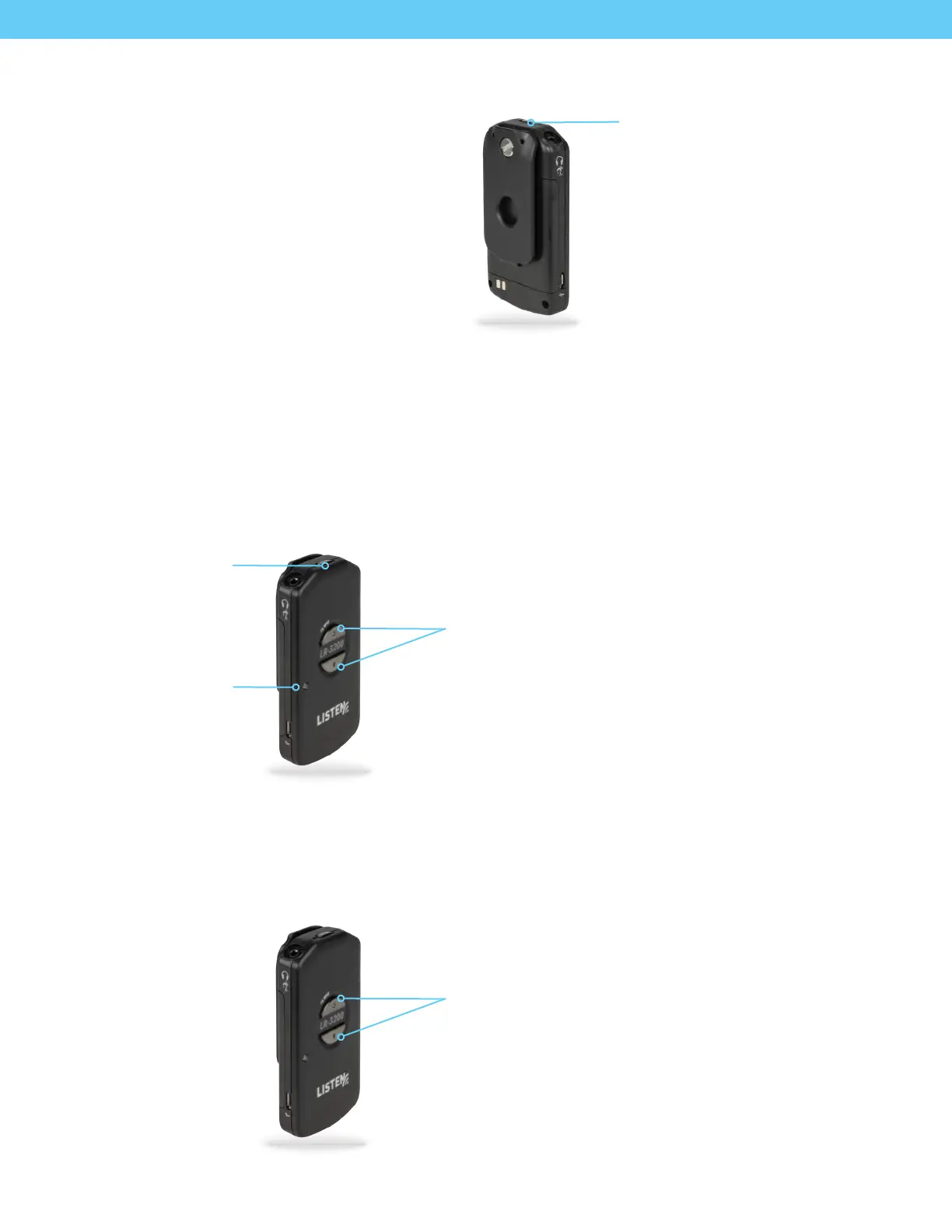
Save/Exit: Press
power button to
save and exit
Program LED:
red
Channel Select Mode: Press and hold the up
and down button simultaneously for 5 seconds
Scroll Up/Down: Use the up or down button to
scroll through available channels
7. Adjust Volume
Adjust the listening volume to a comfortable listening level via the volume up/down buttons.
If the volume is adjusted while there is no audio present the unit will output a momentary tone each time the
button is pressed allowing the user to gauge and adjust the audio level to a comfortable listening level.
Note: To protect the users hearing, at power up the receiver will automatically reset to an adjustable default volume
level. Put on a headset and then adjust the volume to a comfortable listening level.
Power Button: Press and hold
for 1 second to turn on, press and
hold for 3 seconds to turn o
5. Turn the Unit On
Press and hold the Power Button for 1 second to
turn the receiver on. The LED will light solid.
To turn the receiver o, press and hold the
power button for 3 seconds
Volume Up/Down: Use the volume up
or down to raise/lower volume


 To Next Page