• Schedule a recording
1. Press the Menu button to open the setup menu, then press ENTER to access
the CHANNEL menu.
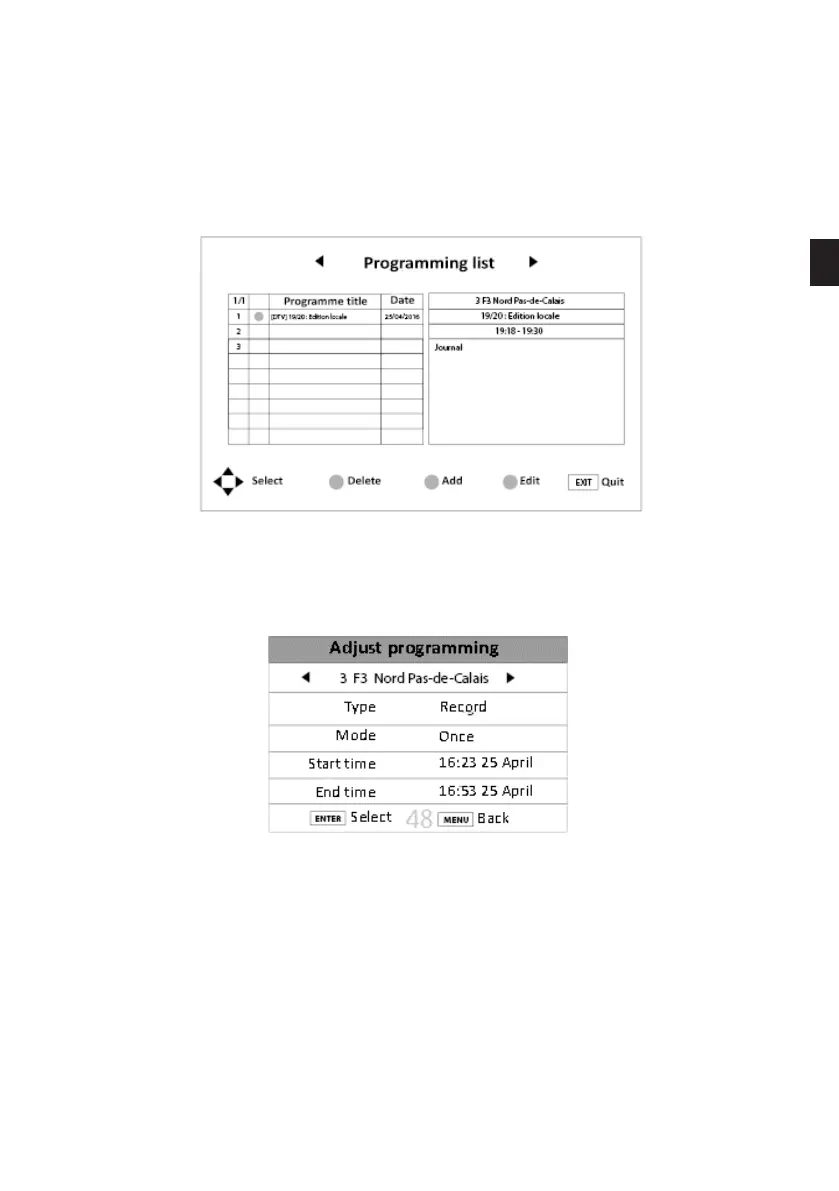
2. Press the button to access the CALENDAR sub-menu. The following window appears on
the TV screen.
3. Press the yellow button on the remote control to add a schedule.
4. Use the direction arrows to set the following options:
- Channel: Select the channel to record
- Type: Select reminder or record depending on the action you want to perform.
- Mode: Select the recording frequency (Once -> daily -> weekly).
- Start time: Set the start date and time with the or arrows.
- End time: Set the end date and time with the or arrows.
5. Press the ENTER button to conrm. Access the list of records to check that an
®
symbol
appears on the corresponding line.
EN
99 V.1.0



 To Next Page