2928
Picture CD
Digital picture (JPEG) from a digital camera can be burnt on to a disc and played on this TV. Insert
a picture CD into the tray and the disc will be loaded automatically. If the disc type can be identified,
the player will start showing the pictures one by one (Slide Show Mode).
Operations
During Slide Show Mode:
• Press the “STOP” button to display the thumbnails of all pictures. Each time 12 pictures will
be shown on the screen.
• Press the “PAUSE” button to freeze the slide show. To resume the slide show mode, press
“PLAY” Button.
• Press the “NEXT” button to skip to next picture.
• Press the “PREVIOUS” button on the remote control to repeat the previous picture.
DVD player operation,continued
• For DVD
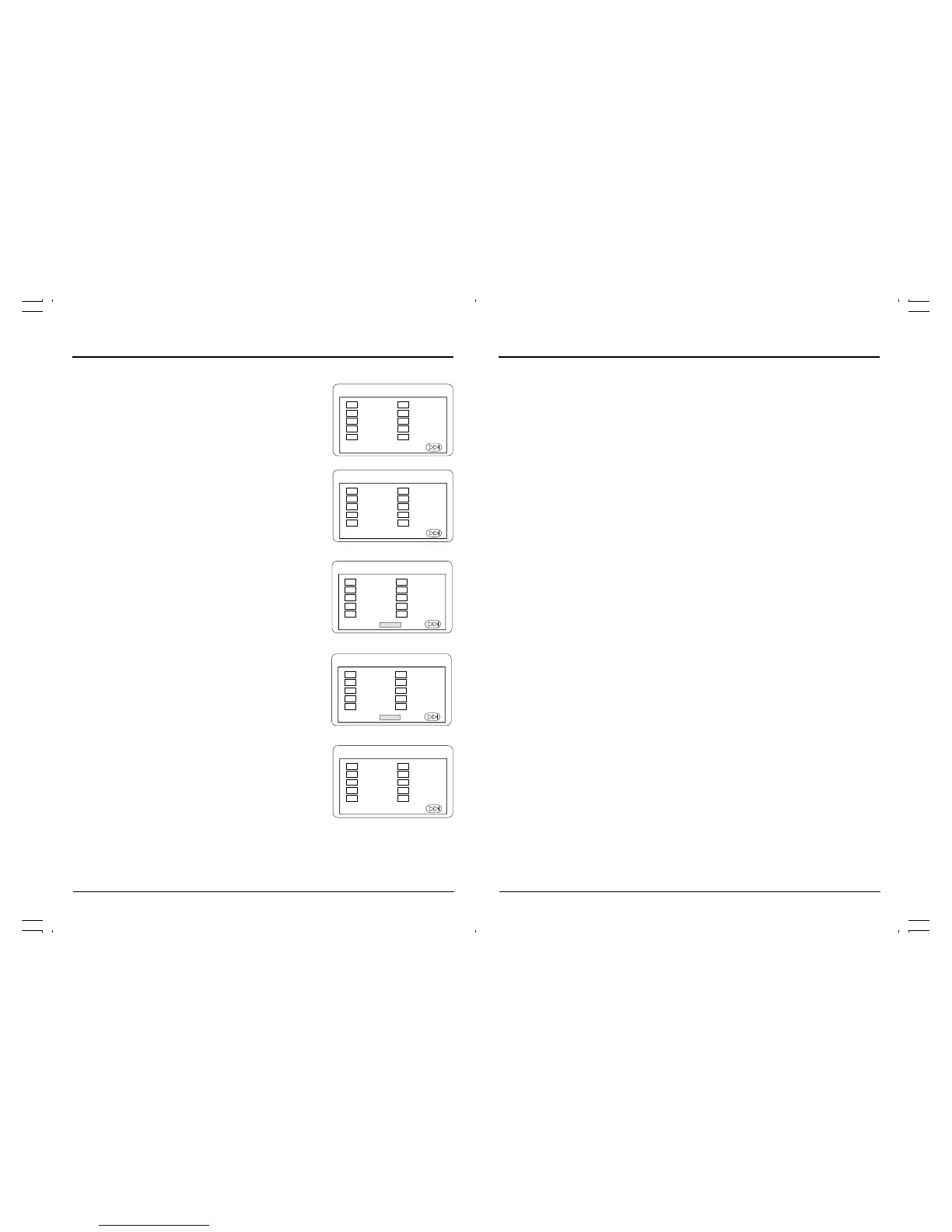
1. Press the “PROGRAM” button. The
Program Sequence table will show
on the screen.
2. Enter the Title number with the
“NUMBER” button (0-9) on the remote
control.
PROGRAM
01 TT: 01 CH:01 TT: CH:
02 TT: CH: TT: CH:
03 TT: CH: TT: CH:
04 TT: CH: TT: CH:
05 TT: CH: TT: CH:
EXIT START NEXT
06
07
08
09
10
PROGRAM
01 TT:01CH:01 TT: CH:
02 TT:02 CH:01 TT: CH:
03 TT:03 CH:01 TT: CH:
04 TT:04 CH:01 TT: CH:
05 TT:05 CH:01 TT: CH:
EXIT START NEXT
06
07
08
09
10
PROGRAM
01 TT: CH: TT: CH:
02 TT: CH: TT: CH:
03 TT: CH: TT: CH:
04 TT: CH: TT: CH:
05 TT: CH: TT: CH:
EXIT NEXT
06
07
08
09
10
PROGRAM
01 TT: 01 CH: TT: CH:
02 TT: CH: TT: CH:
03 TT: CH: TT: CH:
04 TT: CH: TT: CH:
05 TT: CH: TT: CH:
EXIT NEXT
06
07
08
09
10
PROGRAM
01 TT: CH: TT: CH:
02 TT: CH: TT: CH:
03 TT: CH: TT: CH:
04 TT: CH: TT: CH:
05 TT: CH: TT: CH:
EXIT NEXT
06
07
08
09
10
FOR DVD
DVD player operation,continued
3. Enter the Chapter number of the Title
selected in the last step.
4. Repeat step 2 – 3 to input the sequence.
5. After assigning the playback
sequence, move the highlight cursor
to the START option by using the“NAVIGATION” button.
Press “ENTER”button on the remote control to confirm.
To cancel the program
Move the highlight cursor to desired Program by using the “NAVIGATION” button then press
“CLEAR” button to delete the selected program.



 To Next Page