Gocator Line Profile Sensors: User Manual
Gocator Web Interface • 88
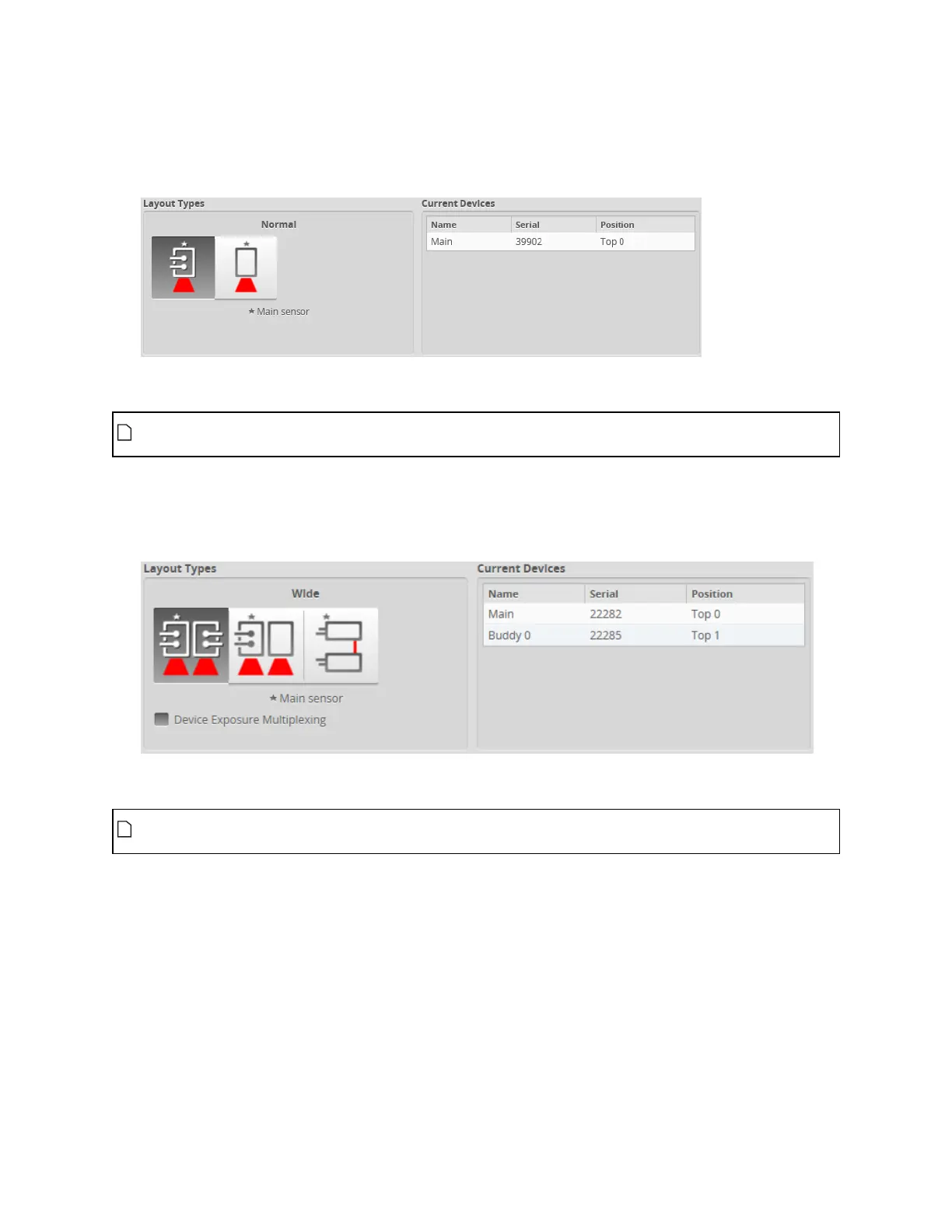
To specify a standalone layout:
1. Go to the Manage page and click on the Layout category.
2. Under Layout Types, choose Normal or Reverse layout by clicking one of the layout buttons.
See the table above for information on layouts.
Before you can select a dual-sensor layout, you must assign a second sensor as the Buddy
sensor. For more information, see Dual- and Multi-sensor Systems on page 82.
To specify a dual-sensor layout:
1. Go to the Manage page and click on the Layout category.
2. Under Layout Types, choose a layout by clicking one of the layout buttons.
See the table above for information on layouts.
Before you can select a multi-sensor layout, you must assign two or more additional sensors as
Buddy sensors. For more information, see Dual- and Multi-sensor Systems on page 82.
To specify a multi-sensor layout:
1. Go to the Manage page and click on the Layout category.
2. Under Layout Grid, click the "plus"icon to the right to add the desired number of columns in the grid.



 To Next Page