Dispensing5
5.1.2 Adjusting the Dispensed Quantity
5.1.2.1 Time Controlled Mode
This mode of operation is used for spot shaped wetting or drop dispensing.
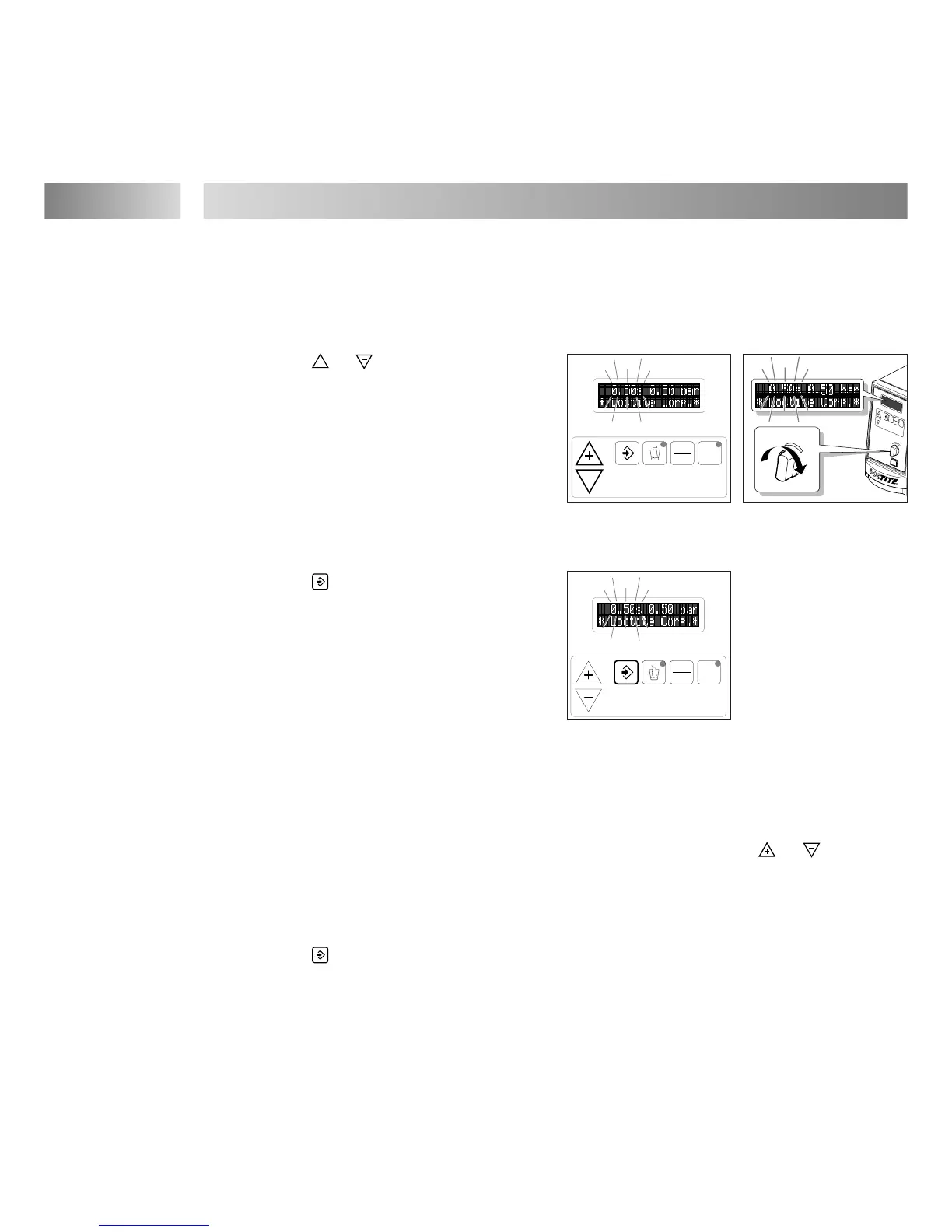
● With buttons or set the dispensing time
to 0.50 s (factory setting). The indication of the
dispensing time in the digital display begins
blinking.
● With the pressure regulator 8 set the dispensing
pressure to 0.50 bar (approx. 7 psi). An error
message „ Press. 0.83 NOK “ with beeping is
possible. The value 0.83 [bar/psi] is only an
example for the indicated dispensing pressure
(see Chapter 7).
● Press button to store the dispensing
pressure setting as the comparison value for
automatic pressure monitoring. The error
message with beeping is eliminated.
● Press the Footswitch 15 to check the dispensed
quantity.
If the dispensed quantity is too small:
● Increase the dispensing pressure and store. Check the dispensed quantity again.
Repeat this sequence until the desired dispensed quantity is roughly achieved.
When the desired dispensed quantity is roughly achieved:
● Set the exact dispensed quantity by changing the dispensing time with button or .
● Press the Footswitch 15 to check the dispensed quantity.
Storing of the dispensed quantity setting for subsequent dispensings:
● Press button
.
The indication of the dispensing time in the digital display stops blinking.
If the desired dispensed quantity is not achieved:
● With a larger (or smaller) dispensing needle, repeat the steps of Section 5.1.2.1.


 To Next Page