Dispensing5
5.2 Refilling the Product Reservoir
5.2.1 Product Reservoir with Low Level Sensor (Automatic Reservoir)
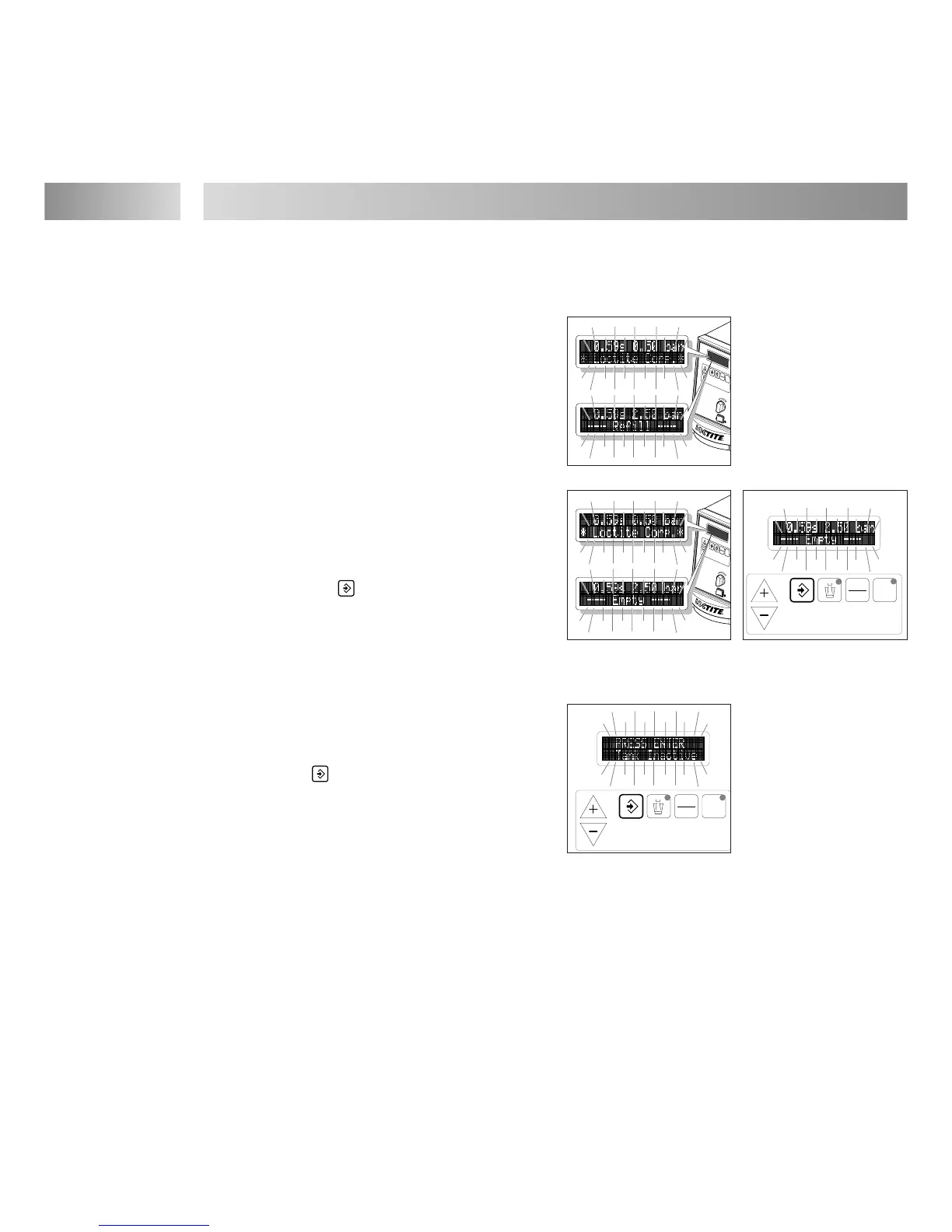
Error message „ --- Refill --- “
(see Chapter 7):
The error message display blinks.
● Prepare product for refilling.
Error message „ --- Empty --- “ with beeping:
The error message display blinks. The dispensing
sequence is interrupted and no further dispensing
sequence can be started.
● Press the button to stop the beeping.
☞
The automatic reservoir 97106 / 97108 is automatically depressurized following the empty message.
● Refill the automatic reservoir according to its instruction manual and reconnect.
Error message
„
PRESS ENTER
>Tank Inactive<
“
(product reservoir ( Tank ) not pressurized):
● Press button once ( PRESS ENTER ). The
automatic reservoir is pressurized.
The error message „ Press. 0.83 NOK “
( Press. = Dispensing pressure)
blinks in the digital display with beeping.
The value 0.83 [bar/psi] is only an example for
the indication of the dispensing pressure (see Chapter 7).
☞
The error message „Press 0.83 NOK“ with beeping disappears by itself when the dispensing
pressure in the product reservoir does not deviate more than 10 % from the stored comparison value
of the automatic pressure control.
After the error message „ Press. 0.83 NOK “ with beeping has disappeared:
● Continue dispensing with the stored values for dispensing time and pressure.


 To Next Page