Connect ID 40-55 - 30 -
Quick guide
english
Audio/Radio
Radio mode (DVB radio)
The TV set can receive digital radio stations via DVB.
The AUDIO key has been preset to radio mode in the factory.
Switching Radio mode on
AUDIO key on the remote control
Or
Press R on the ring cursor on the TV set.
Or:
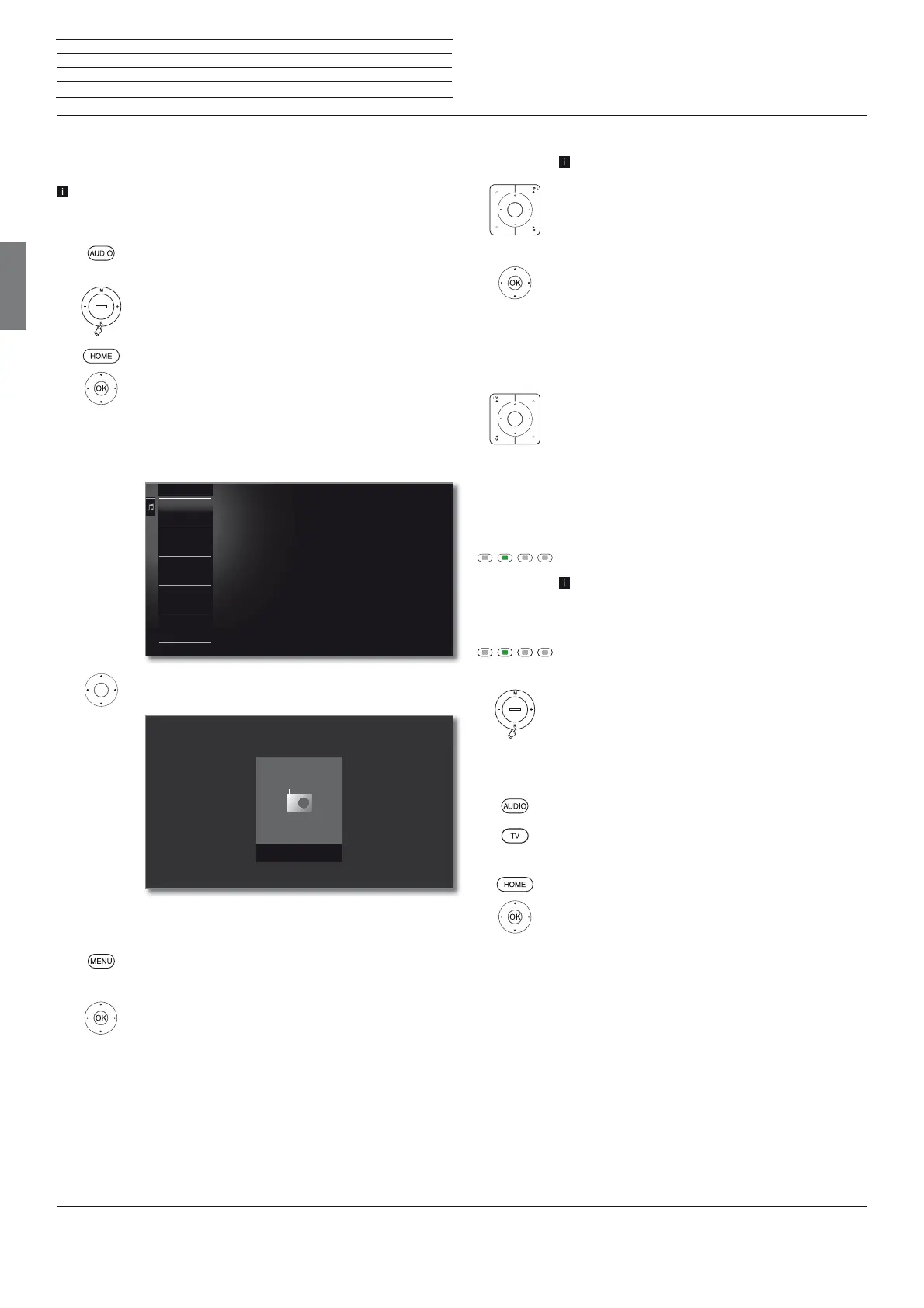
HOME: Calling the Home view.
Select Audio/Radio,
OK call.
Select DVB radio,
OK call.
You see the radio station list.
Select station,
OK call.
DVB radio function list
MENU: Call function list.
Or:
OK Call station list,
call function list.
Mark function,
OK call.
See chapter TV – Function list for further informa-
tion.
3 Bayern 3
2 Antenne Bayern
4 Bayern 1
5 Radio Eins
6 hr1
7 hr2
2 Antenne Bayern
Nachrichten
Station switching
The radio mode is switched on and a radio station
has been selected (see above).
P+/P– or press the numerical keys on the remote
control.
Or:
OK call station list.
Select station,
OK call.
Setting the volume
V+/V– Volume up/down.
Other sound settings are the same as for the volume
setting in TV mode (see chapter TV – Setting the
volume).
Switching the screen on/off
Green key: Switch screen OFF.
Switching off the screen reduces the power
consumption of the TV set.
Switch on the screen with the remote control:
Press green key.
Switch on the screen on the TV set:
Press R on the ring cursor on the TV set.
Exit radio mode
Press AUDIO key or
TV key on the remote control (TV mode is called).
Or:
HOME: Calling the Home view.
Select another operating mode,
OK call.






 To Next Page