Loewe bild 5 oled / bild 4 oled
User handbook
28
Initial installation
Setting options for DVB-S reception (continued):
After you have made the previous settings, you should
receive picture and sound of the selected satellites
(only possible for Astra1 and HOTBIRD).
Proceed to next step.
Select and adapt settings.
OK Confirm selection.
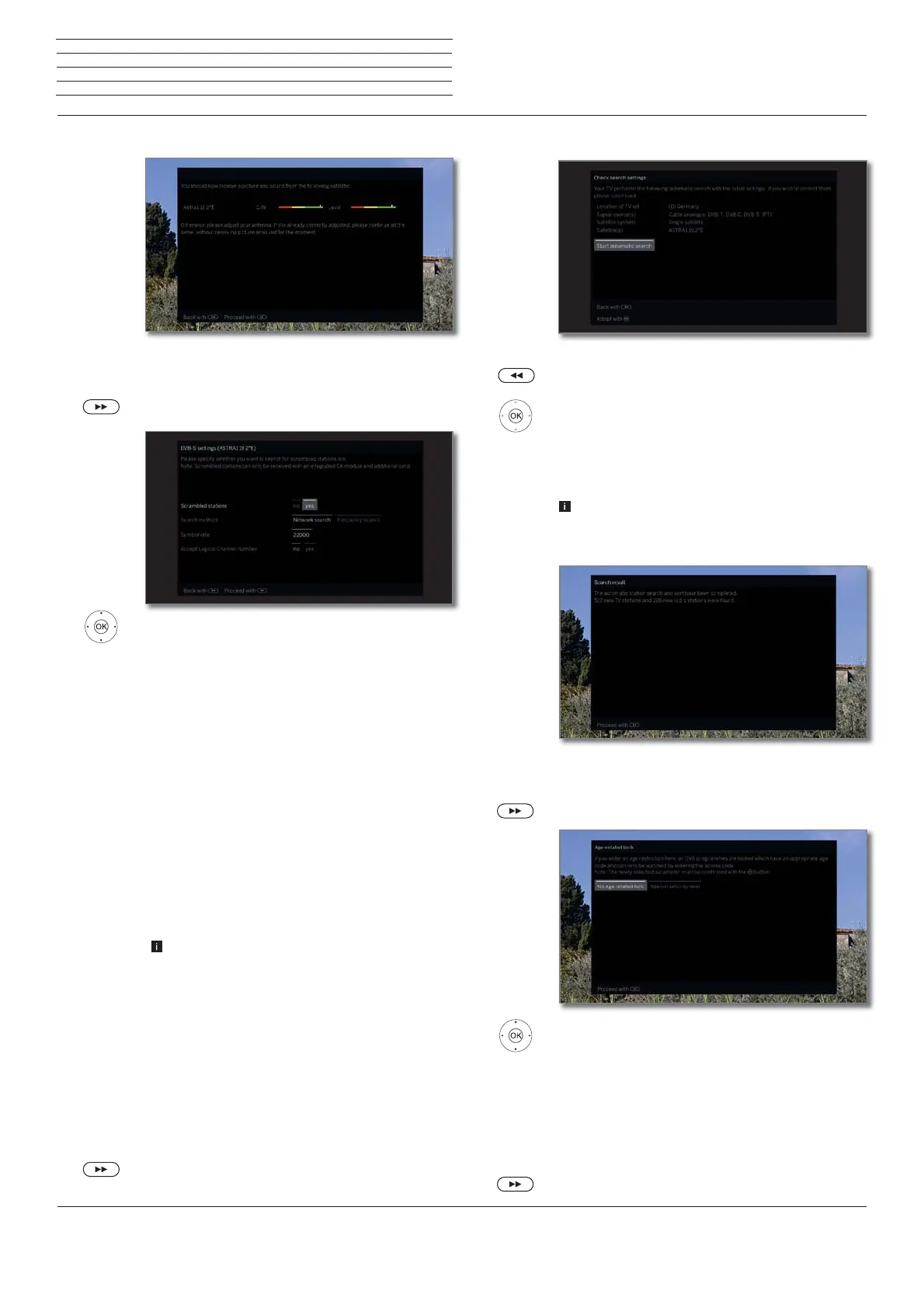
If several satellites are received, the following settings
must be made for every satellite. The type of settings
available may differ depending on the selected satellite
or network.
Scrambled
stations
You can state whether coded stations are to be
searched for in the search/update.
Select yes to save all found scrambled stations.
However, these stations can only be received in
connection with a CA module and the appropriate
Smart Card.
Handling of the CA module is described in chapter
System settings, section Extras – CA module.
Search
method
If you select Frequency search here, a search is
performed for all receivable stations. With Network
search, from all receivable networks all the stations
are searched which are supplied by these networks.
Depending on the selected network, this step
might possibly be skipped.
Symbol rate
The symbol rate is specified by the satellite provider
and normally does not need to be changed.
Accept
Logical
Channel
Number
In various countries, digital stations (DVB-S) are
transmitted with a preset channel number per
station, known as Logical Channel Numbers (LCN).
If you select yes here, these default channel slots
will be used and the channels of the preferred signal
source will be sorted as per LCN. The stations in the
station list can no longer be shifted.
Proceed to next step.
Proceed to section Setting options for all types of
reception.
Test reception
Settings
Setting options for all types of reception:
You will see a list of the selected settings. You can go
back step by step with the key to make any changes
to the settings.
OK Start automatic search.
Now, the TV set searches for TV and radio stations.
It searches successively for stations from the selected
signal sources. The progress of search is shown by a
progress bar.
In case of a repeated initial installation routine (via
Home view under System settings
p
Extras)
all stored stations will be first deleted here.
The number of TV and radio stations found is dis-
played.
Proceed to next step.
.
Select Age-related lock.
OK Confirm selection.
You can specify an age limit for your TV set here.
DVB broadcasts which have an appropriate age
identification are locked and can only be watched
after entering the access code.
In some countries, the yes/no option does not
exist for some channels, and a compulsory age
check must be entered.
Proceed to next step.
Check
search
settings
Info
station search
Age-related
lock



 To Next Page