Loewe bild 5 oled / bild 4 oled
User handbook
79
System settings
Stations
Station lists TV / Radio
Under the menu item Station lists TV or Station lists Radio you
can edit (delete block, move block, restore deleted stations, delete
list) various lists, e.g., DVB-T, ASTRA LCN, DVB-C, etc. You can also
create and edit new Personal lists.
The function of Station lists Radio is similar to that of Station lists
TV. Therefore, editing of Station lists Radio will not be dealt with
separately.
Change station list
If at least one station is locked, the access code must
be entered before changing stations
.
HOME: Call Home view.
Mark System settings,
OK call system settings.
Mark Stations,
go to next column.
Select Station lists TV,
go to next column.
Mark desired station list,
call list.
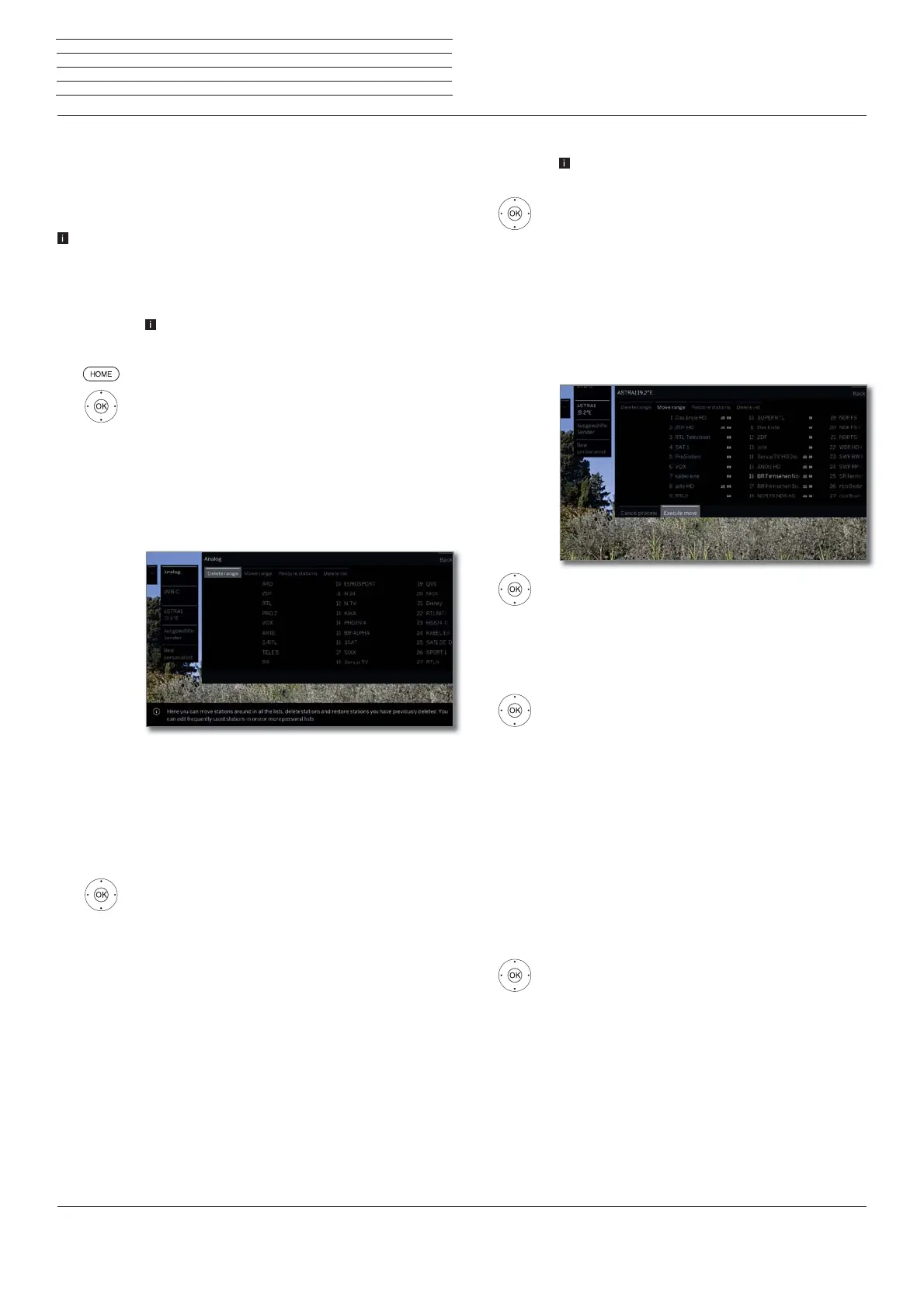
Here, you can delete and move station blocks as well
as restore deleted stations.
The following section describes how to proceed if you
wish to Delete block, Move block,Restore stations
and Delete list.
Delete block
Select Delete Block,
move to list.
Select beginning of block,
OK mark beginning of block.
Select end of block,
OK mark end of block (selected stations are coloured
blue).
Select Execute delete,
OK block will be deleted, or
select Cancel procedure,
OK cancel delete.
Move block / Change order
Stations with LCN cannot be reordered. In this case,
the function Move block is hidden.
Select Move block,
move to list.
Select beginning of block,
OK mark beginning of block.
Select end of block,
OK mark end of block (selected stations are coloured
blue).
Select insert position,
OK Confirm insert position.
Select Execute move,
OK block will be moved, or
select Cancel procedure,
OK cancel move.
Restore stations
Select Restore stations,
move to list.
Select beginning of block,
OK mark beginning of block.
Select end of block,
OK mark end of block (selected stations are coloured
blue).
Select Restore stations,
OK stations will be added again to the station list, or
select Cancel procedure,
OK cancel restore.
Delete list
Select Delete list,
OK confirm delete list.
OK Confirm delete.



 To Next Page