Loewe bild 5 oled / bild 4 oled
User handbook
9
1
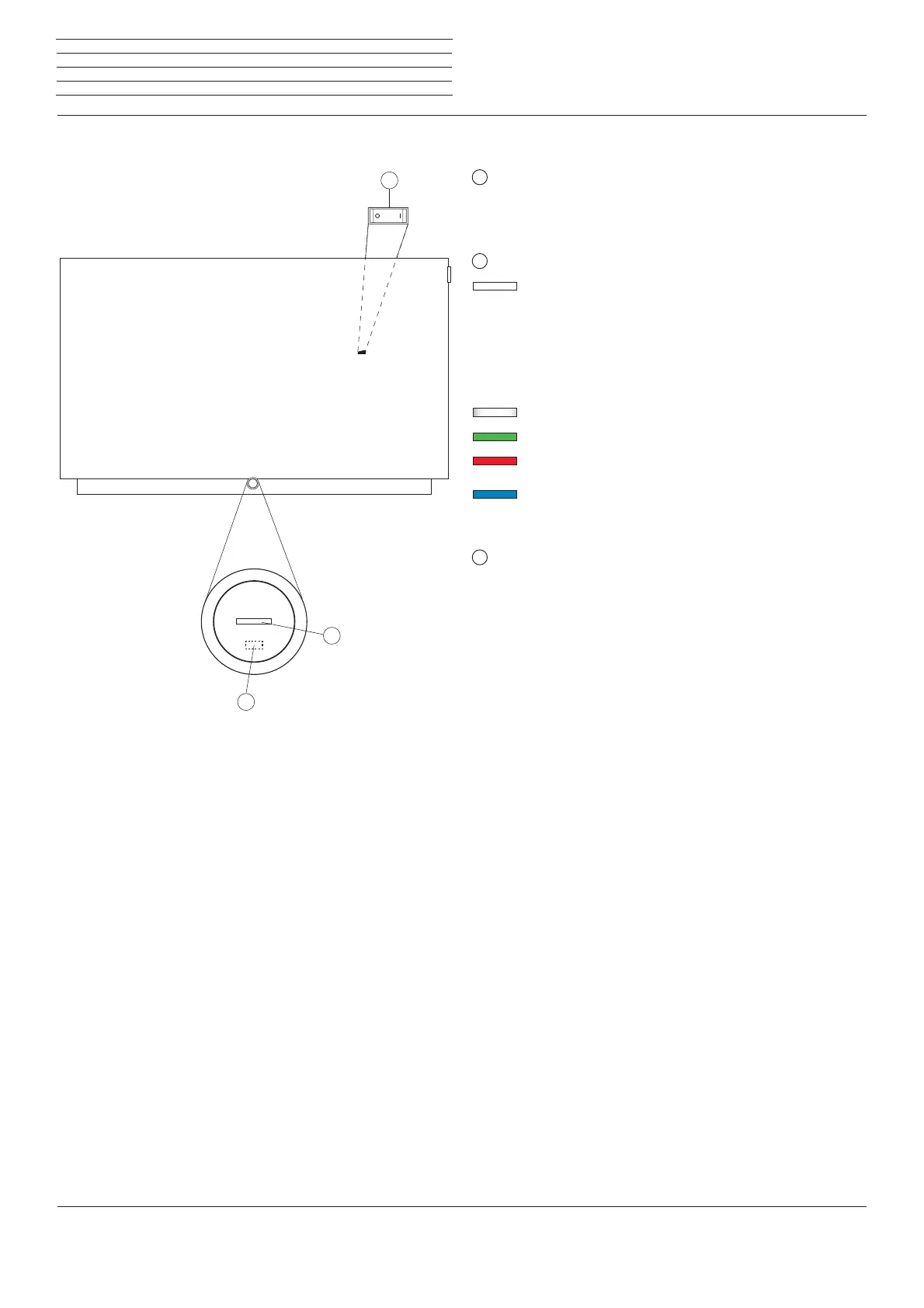
Mains switch:
The mains switch is located on the backside of the set.
Always return the TV set to Standby mode before switching it off
with the main switch.
2
Display:
white: TV set in standby.
Depending on the ambient brightness, the
white LED display is dimmed
(1
and lights
up with a different degree of brightness.
If the TV set is in quick start mode, the
white LED display is not dimmable and
starts with full brightness.
white, intermittent:
TV set starts.
green: TV set switched on.
red: timer recording active.
blue:
TV set in standby and background operation active (EPG
data updating, software update or DR+ streaming server
function, OLED calibration).
3
IR receiver:
Infrared receiver for receiving the remote control commands.
Operating controls on the TV set
Operating controls on the TV set
(1
Automatic dimming depending on the room brightness (OPC) must be activated (see chapter System settings, section Picture).
3
2
1



 To Next Page