Date of issue 07/09-1.0 TB/FP
All rights including translation, technical modica-
tions and errors reserved.
Loewe Opta GmbH
Industriestraße 11
D-96317 Kronach
www.loewe.de
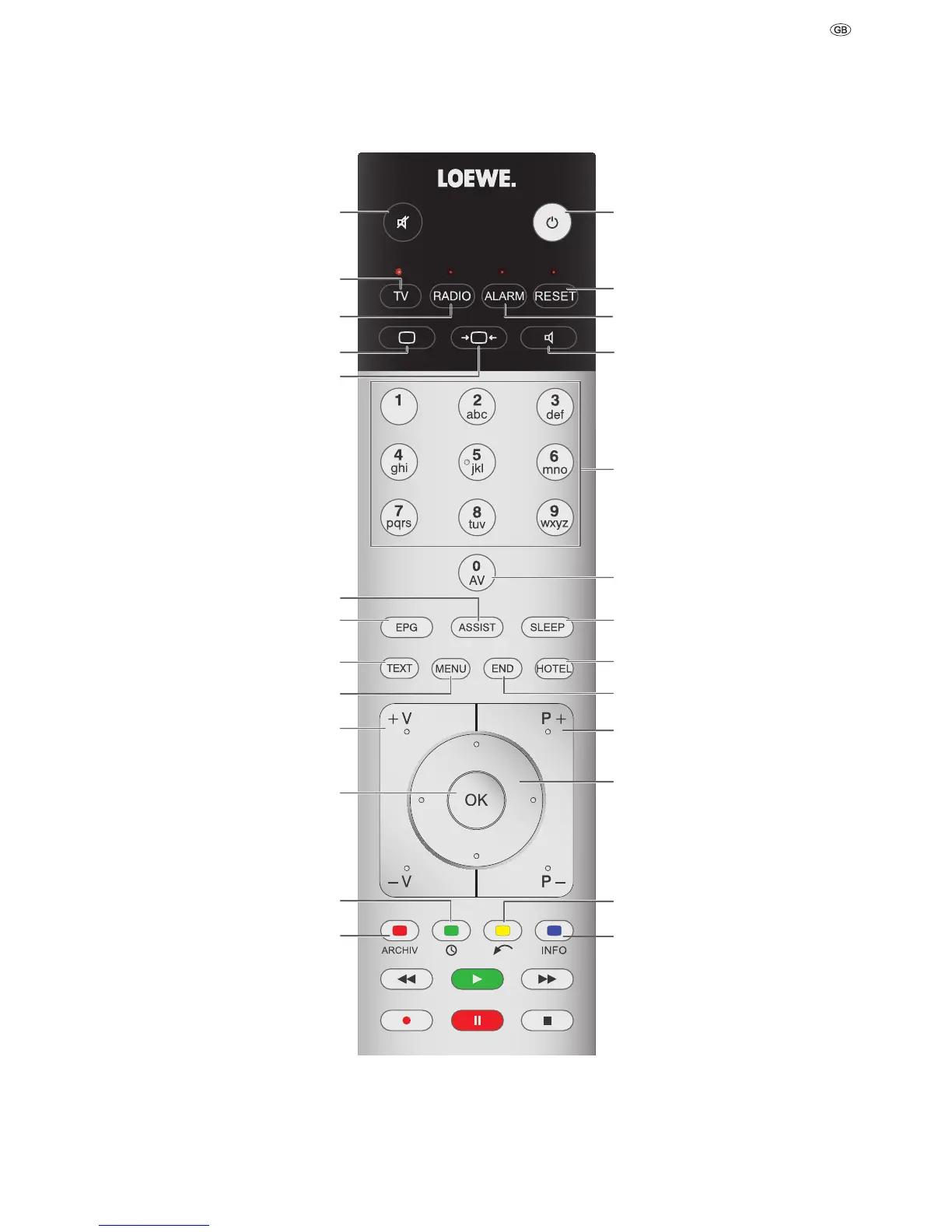
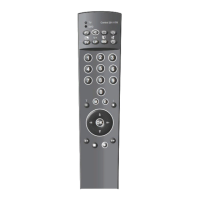
Switch on /
Switch off to standby mode
Reset picture/sound settings
Wake
Adjust sound
Select station
AV selection
Switch off automatically
Hotel info channel
Status display
P+/P– Station up/down
in menu: Select/adjust
Yellow button: Last station
Blue button: Programme info
Sound off/on
Switch to TV mode
Switch TV analogue/digital
Switch to radio mode
Switch radio analogue/digital
Adjust picture
Set picture format
Assist
+
menu
Electronic Programme Guide
Teletext
Select language
V+/V– Volume louder/quieter
Station list
Green button: Time
Red button: Freeze picture
Remote control Assist 2 Hotel








 To Next Page