EasyManua.ls Logo

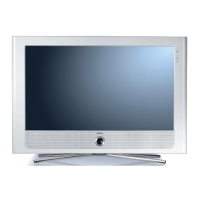
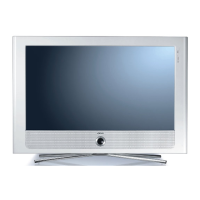
Loewe Connect 26 LED - User Manual

Loewe Connect 26 LED
108 pages
Print Icon
To Next Page IconTo Next Page
Loading...
Operating instructions, Instrucciones de manejo
Connect
TV
Connect 26 LED
233–34659.020

Table of Contents

Questions and Answers

  • M
    Melissa ClarkAug 16, 2025
    Why is there no sound via the external digital audio amplifier on my Loewe Connect 26 LED LED TV?
    • J
      Jessica CoxAug 16, 2025
      There could be a couple of reasons: either the external digital audio amplifier doesn't support the selected sound format (Dolby Digital, dts, MPEG), or the TV and amplifier aren't properly connected. To solve this, set PCM stereo on the DVD player for sound selection. For DVB stations, switch to stereo in the Status display (INFO) – Language/sound (green button). Also, ensure you've connected the AUDIO DIGITAL OUT from the TV to a digital input on the amplifier and selected the correct input.
  • V
    Veronica CollinsAug 18, 2025
    What to do if I can't hear sound when playing video or music files on my Loewe Connect 26 LED?
    • M
      melissasanchezAug 18, 2025
      First, make sure your Loewe LED TV isn't muted and the volume isn't too low by pressing the V+ button on the remote control. If that doesn't work, check under Connections < Sound components in the TV menu. If an audio device that is not connected is registered, connect the audio device and switch it on or change back to TV speakers.
  • R
    Randy WashingtonAug 21, 2025
    How to fix general problems when connecting external devices via an AV input on Loewe Connect 26 LED LED TV?
    • B
      brandonrasmussenAug 22, 2025
      The issue may be due to incorrect AV standard or signal type settings. You should set the correct standard and signal type. If AV standard or AV signal is set to 'Automatic' then this can cause errors to be detected with signals that do not comply with standards. In this case standard and signal must be set according to the information in the operating manual of the external device.
  • M
    Mr. Lee GordonAug 25, 2025
    What to do if the control functions of the Loewe Recorder and the Timer are not working properly?
    • S
      Shane McclureAug 25, 2025
      This might happen if the Digital Link function isn't activated or isn't supported by the recorder, or if the EURO-AV cable isn't connected. To resolve this, first activate Digital Link in the recorder. If that doesn't work, ensure the EURO-AV cable is properly connected.
  • S
    Steven SandersAug 27, 2025
    What to do if the connection of a decoder does not function properly on my Loewe Connect 26 LED LED TV?
    • D
      David KennedyAug 27, 2025
      This problem may occur if the correct decoder stations aren't selected or the wrong decoder sound is assigned in the menu. Select the right decoder stations in the menu (TV menu < Connections < Miscellaneous < Decoder stations < Select decoder station(s). Also, select the right sound code (always, never, automatic) in the menu (TV menu < Connections < Miscellaneous < Decoder stations < Sound encoding).
  • C
    Christopher GrahamAug 31, 2025
    How to fix Digital Link Plus not working on Loewe Connect 26 LED?
    • X
      xgriffinAug 31, 2025
      Digital Link Plus may not function properly if the EURO-AV cable isn't fully wired (pin 10 not wired). In that case, replace the EURO-AV cable. Some recorders can only adopt stations during the initial installation of the TV set, so restore the recorder to the as-delivered state.
  • G
    Grace ClarkSep 2, 2025
    How to change the menu language on my Loewe LED TV if it's displayed incorrectly?
    • A
      ashley12Sep 2, 2025
      To set the menu language, press the MEDIA button in TV mode. In the MediaPortal, highlight the last menu item (Index) in the upper half and call up with OK. Mark the first key word and call it with OK. Then select the language and confirm it with OK.
  • L
    Lindsay WuSep 5, 2025
    Why is my Loewe Connect 26 LED LED TV not assigned an IP address with DHCP?
    • A
      Alexis KellySep 6, 2025
      This issue can occur if no DHCP server is working on your network. To resolve this, set up a DHCP server. You can also assign the IP addresses for the TV set manually or via UPnP/DLNA.
  • R
    rossmatthewSep 9, 2025
    What to do if Connections cannot be called in the TV menu of my Loewe LED TV?
    • H
      Heather ThomasSep 9, 2025
      The 'Connections' menu might be greyed out because a timer recording is in progress. Wait until the timer recording ends or delete the timer recording.
  • U
    ufieldsSep 12, 2025
    How to resolve incorrect character display in Teletext on Loewe LED TV?
    • K
      Kimberly BlackSep 12, 2025
      If you're seeing incorrect characters in Teletext, it's likely that the wrong character set is selected. To fix this, go to the Teletext menu, then Settings, then Character set, and select either Standard or the appropriate character set.

Loewe Connect 26 LED Specifications

General IconGeneral
Screen Size26 inches
Display TypeLED
Resolution1366 x 768
HDMI Ports2
USB Ports1
Audio Output2 x 10 W
Wi-FiYes

Related product manuals