Loewe klang m1
User handbook
5
english
n
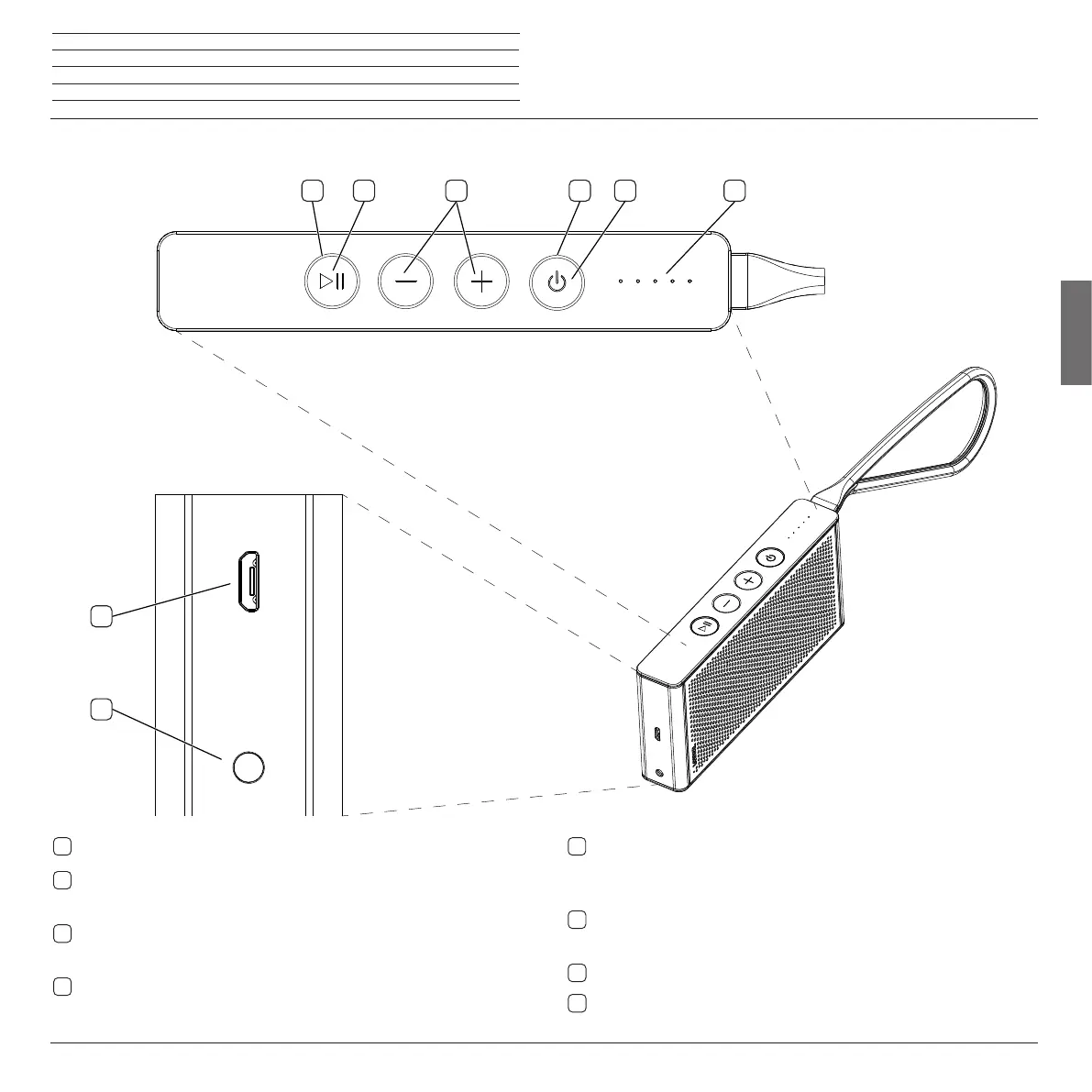
Connections and operating elements
Connections and operating elements
3
1
2
4
6
5
8
7
1
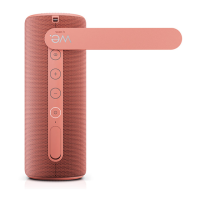
LED display – Display of the charging status and the sound volume
2
Power button – Switch on/switch off in the standby mode, reject/ end call,
end jam mode
3
LED display – Display of different statuses of the loudspeakers (power,
audio IN, Bluetooth, call, jam mode)
4
–/+ - buttons – Setting of the sound volume
5
Play/pause button –
Answer call and switch off microphone, start Blue-
tooth pairing, various setting possibilities for music
playback (pause, next / previous track)
6
LED display – Display of different statuses of the loudspeakers (power,
audio IN, Bluetooth, call, jam mode)
7
Micro USB – Socket for charging of the loudspeaker
8
Audio IN – Audio input 3.5 mm stereo jack





 To Next Page