32
WIRELESS SIGNAL RECEPTION
TIME SYNCHRONIZE STATUS
WI-FI CONNECTION STATUS
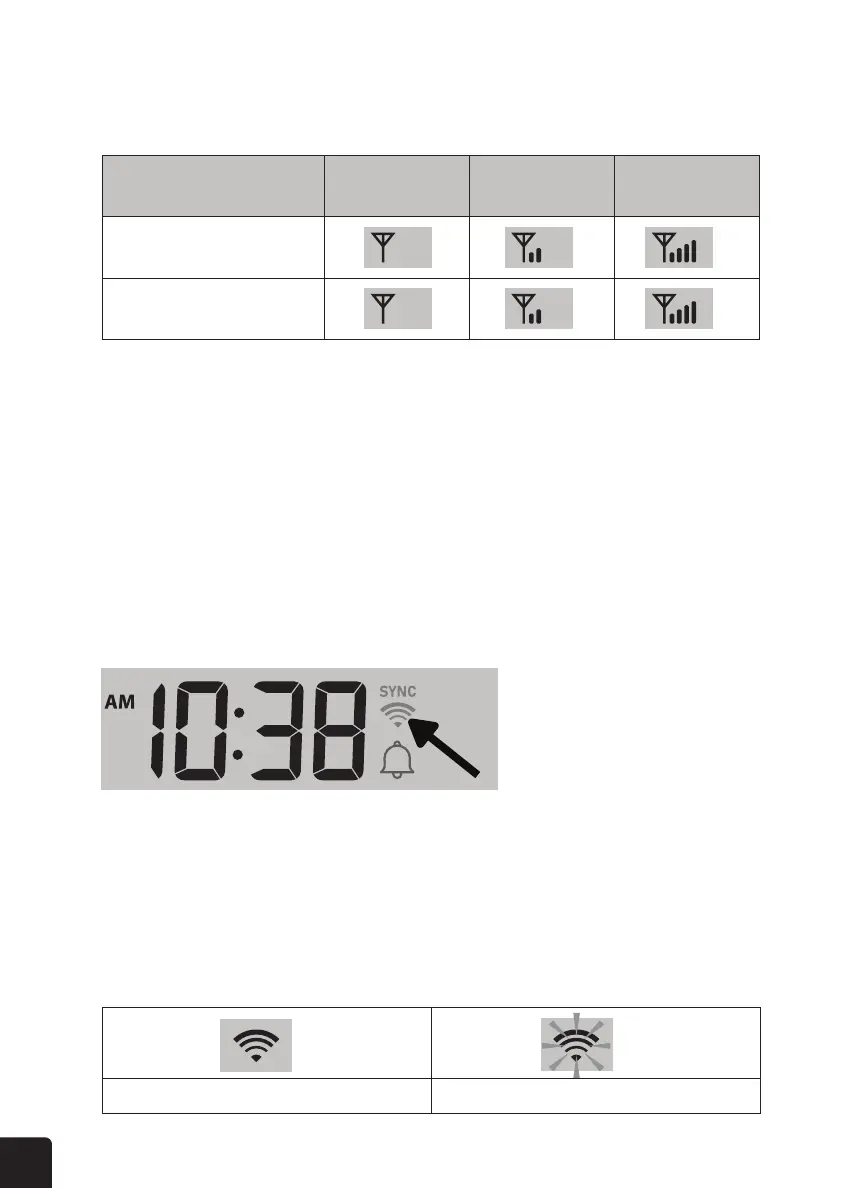
The display console shows the signal strength for the outdoor wireless sensor:
After the console has connected to PWL, it can get the time from PWL. The “SYNC” icon will appear
on the LCD with the time.
The WI-FI icon on the console display indicates the console’s connection status with the
WI-FI router.
No signal Weak signal Good signal
7-in-1 wireless sensor array
Hygro-thermo channel or
other optional semsor
• If the sensor signal is lost and isn’t recovered within 15 minutes, the signal icon will
disappear. The temperature and humidity will display “Er” for the corresponding
channel.
• If the sensor signal isn’t recovered within 48 hours, the “Er” display will become
permanent. If this happens, you need to replace the batteries and then press the
SENSOR/WI-FI button to pair up the sensor again.
Stable: Console is in connection with WI-FI router Flashing: Console is trying to connect to WI-FI router



 To Next Page