EasyManua.ls Logo

Logia LOWSC7110FWB8 - Page 38

Logia LOWSC7110FWB8
54 pages
Print Icon
To Next Page IconTo Next Page
To Previous Page IconTo Previous Page
Loading...
38
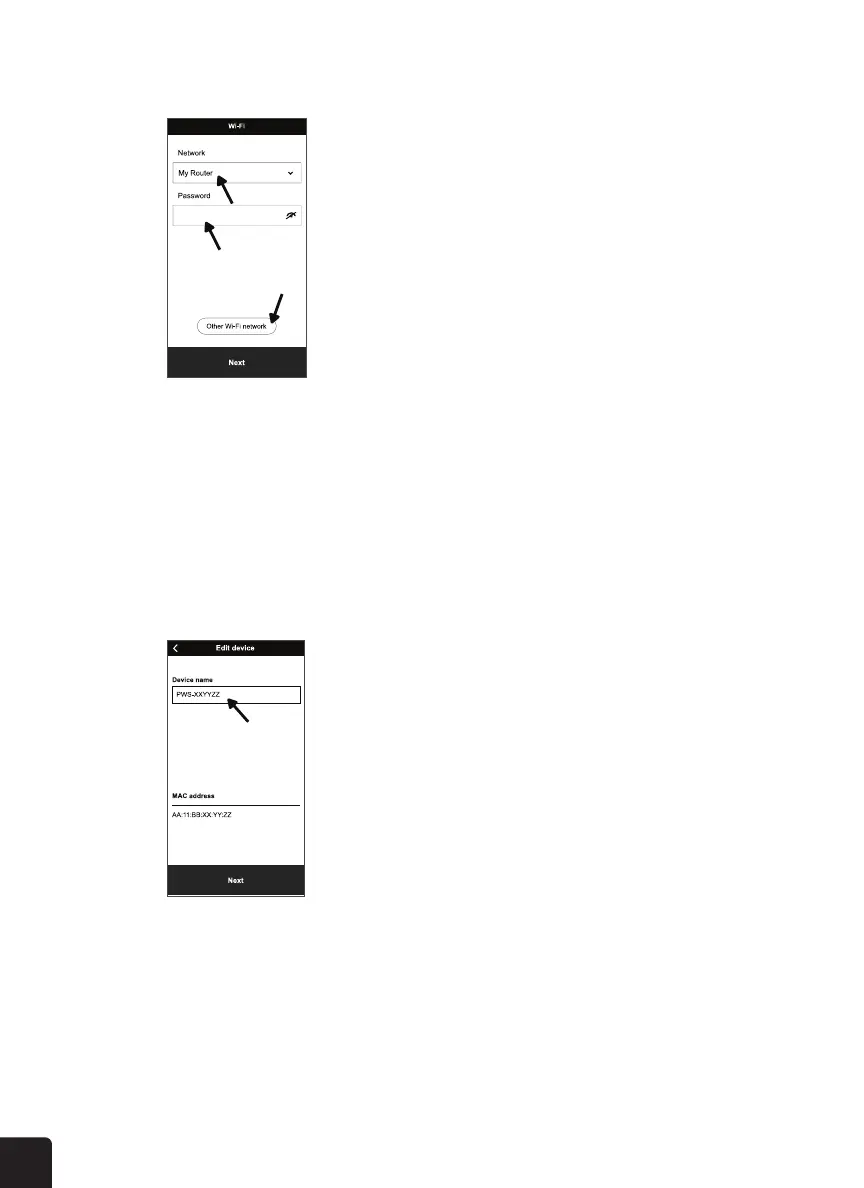
8. Enter the name and password of your Wi-Fi network. Then, tap “Next”.
9. Wait a few minutes for your console to connect to your Wi-Fi network.


EDIT DEVICE
WEATHER SERVER
Go to “Edit Device” to change the name of your console.
Go to “Weather Server” to select a weather server where you can view the weather data of your
device from an online weather server.




Related product manuals