Need help?
Do you have a question about the LOGICDATA HSU and is the answer not in the manual?
Specifies that the HSU cable-handswitch must be used with LOGICDATA control boxes.
Refers to the applicable manual for definitions and information on LOGICDATA control boxes.
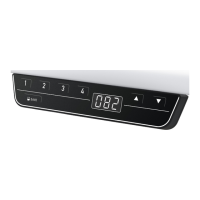
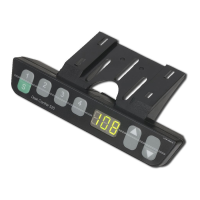
Lists key features: comfortable buttons, info display, memory buttons, motor control, unit display, and easy mounting.
Identifies the included items: HSU cable-handswitch, mounting plate, and screws.
Details the pin assignment for the handswitch connector, including HS1, HS3, HS4, +5V, SER_OUT, GND.
Includes unpacking, ecological disposal, and positioning the handswitch for comfortable access.
Fix the mounting plate with the 6 enclosed screws.
The display of the HSU cable-handswitch consists of a 3 digit position and information display.
Describes the upward and downward adjustment functions of the desk using the handswitch buttons.
Explains how to store a specific desktop height using the S button and position buttons.
Details how to recall a previously stored desktop position using the position buttons.
Lists common problems with the handswitch and their corresponding solutions, e.g., cable defects or display issues.
Provides instructions for ecologically sound disposal of the HSU cable-handswitch components.
 General
| Brand | LOGICDATA |
|---|---|
| Model | HSU |
| Category | Indoor Furnishing |
| Language | English |

 To Next Page