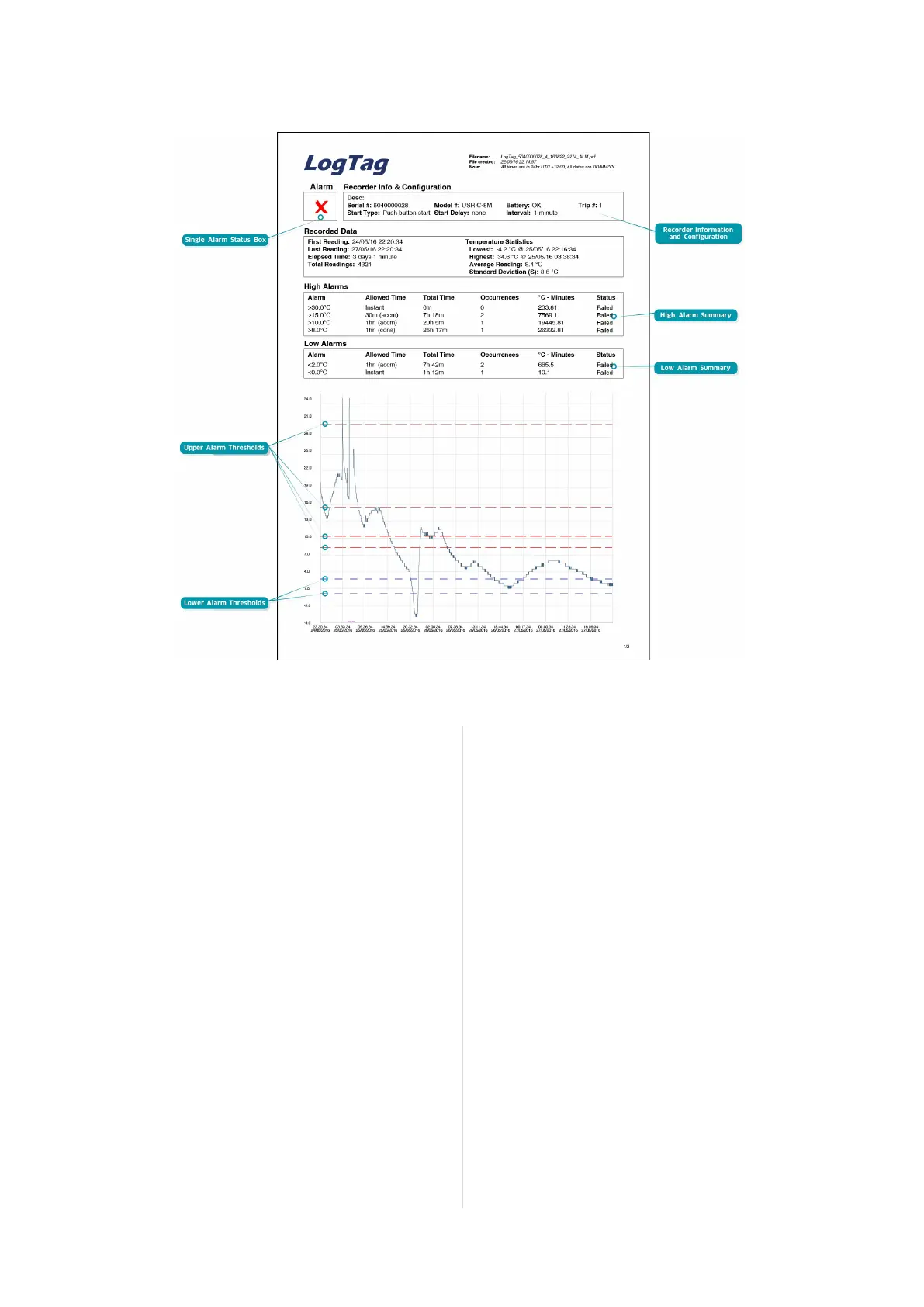
A UTRIX-16 shows a different report summary page to accommodate
the extra alarms. Most of the elements are the same, with these
exceptions:
Alarm Status Box
This shows at a glance if the UTRIX-16(M) recorded alarm conditions
during the trip (showing a red
) or if no alarms were recorded
(green
). Instead of an upper and a lower status, this box shows a
single pass or fail.
Upper Threshold values
The upper alarm thresholds are shown with red dashed lines ---- so
you can see at a glance where temperatures went above the set limits.
You may see up to five lines depending on configuration and zoom
settings.
Lower Threshold values
The lower alarm thresholds are shown with blue dashed lines ---- so
you can see at a glance where temperatures went below the set limits.
You may see up to five lines depending on configuration and zoom
settings.
High Alarm and Low Alarm Information
These two sections summarize the alarm occurences during the trip,
including statistical data. You may see up to 5 alarms for each
direction, depending on configuration and zoom settings.
Recorder Information and Configuration
On recorders with multiple alarms these sections are combined and
show general information such as serial and model numbers, trip
number, battery status and description. It shows how the recorder
was started, if a start delay was active and the interval used for taking
readings.
Page 12 of 16 UTRIX-16(M) Product User Guide, Revision 2.0, copyright © 2004-2016, LogTag
®
Recorders . All rights reserved.
Figure 6: Sample report page with Multiple Alarm Thresholds
Data Evaluation - Report with multiple alarms



 To Next Page