Copyright © Lojer Oy, 2012 5
09/2012 Rev. 3.0
3 Using the Pulley
3.1 Using the mobile stand (Mobile Pulley only)
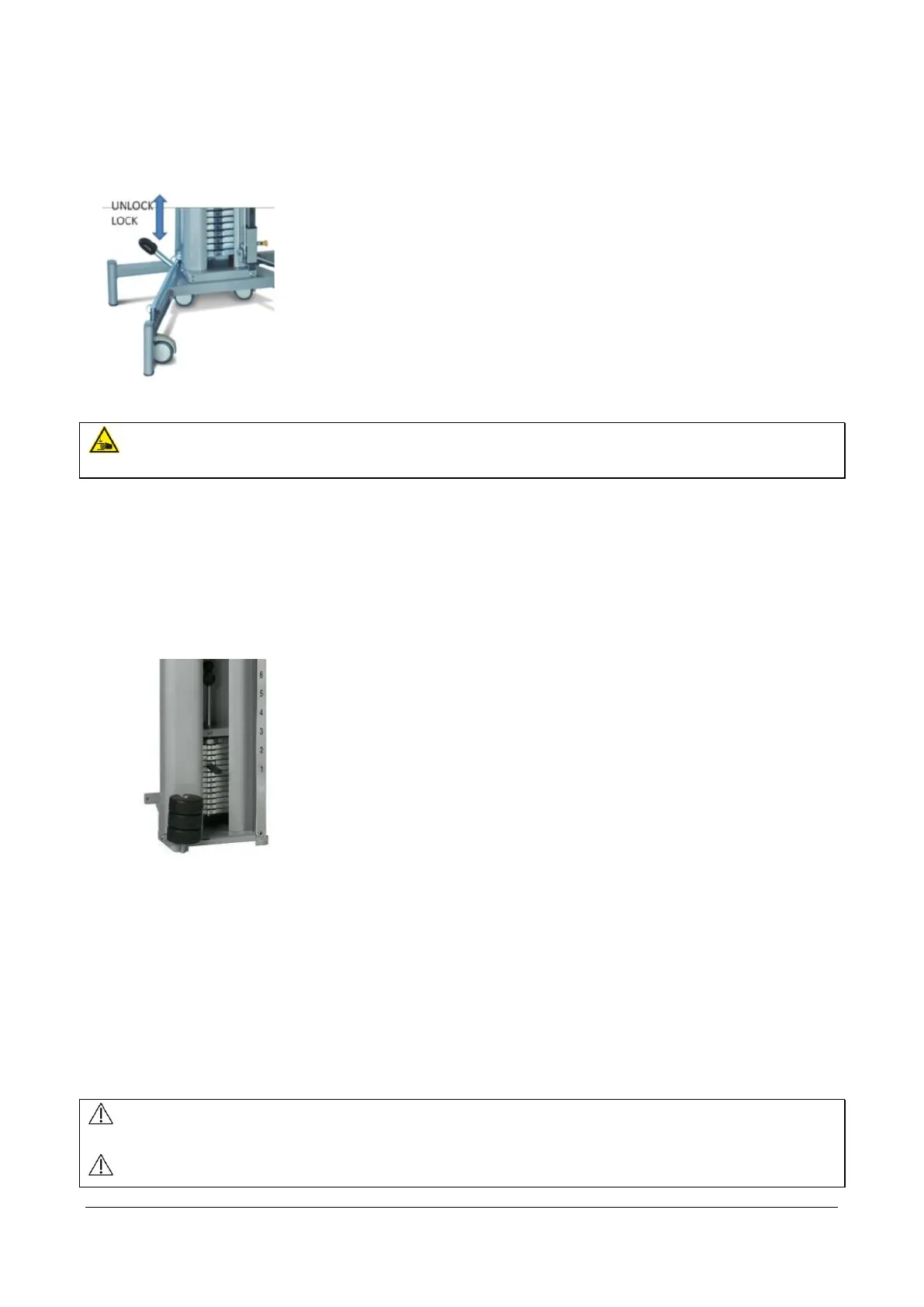
When you are using the device be sure that the device is standing on the legs and the wheels are lifted up. If you want
to move the device, press the pedal (Figure 6) downwards, and the wheels are on.
SQUEEZING HAZARD! Make sure that nothing is or gets under the device or between the structure of
the device during lifting/lowering.
3.2 Adjusting the weights
Pulley:
In the pulleys you can adjust the weights at 0,5 – 1,0 kg intervals by placing the adjusting fork in a slot under the
desired weight amount. There is also available a set of extra weights (Figure 7)(3 x 0,250 kg, see: Accessories) that you
can add above the weight stack when needed. Make sure that extra weights are properly attached and they cannot
drop between the weight stack and casing.
Speed Pulley:
you can adjust the weights by the following: The ratio of the resistance is 1:5, the resistance coming out is 0,5 kg’s per
rope per plate. For instance 4 weight stack plates means 2 kg resistance per rope. By combining the ropes so that you
have only one handle to pull, the resistance is double, for instance 4 weight plates – resistance 4 kg. Weights can be
adjusted by placing the adjusting fork in a slot under the desired weight amount.
Vertical Pull:
You can adjust the weights at 5 kg tolerance by placing the adjusting fork in a slot under the desired weight amount.
Before using the devices, make sure that the fork is correctly positioned at the end of the slot of
weight stack, and the rope and its hook are not damaged.
Make sure that mobile pulley is not on the wheels when using the device.


 To Next Page