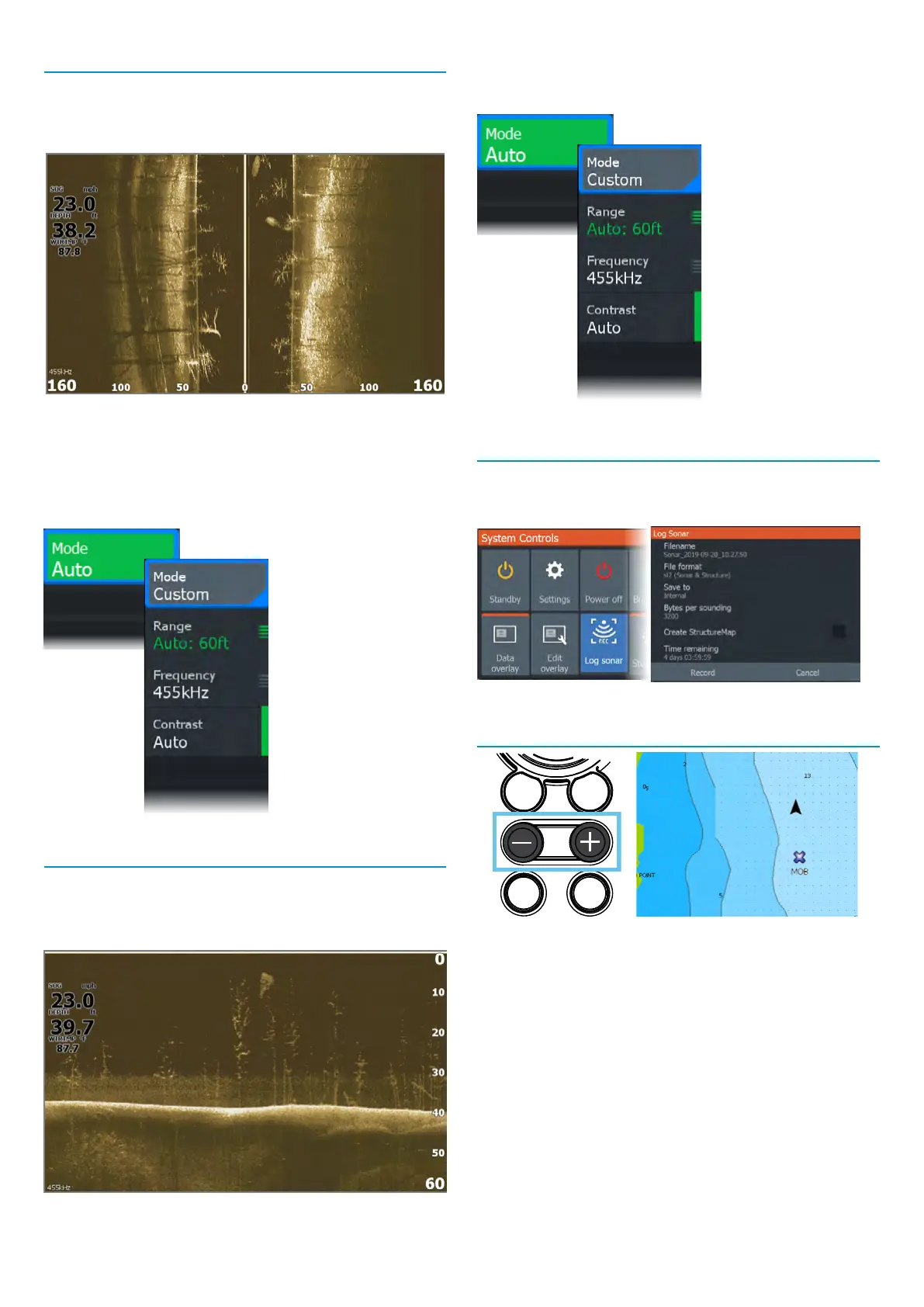
SideScan
SideScan provides a wide coverage in high detail of the
seabed to the sides of your vessel. The SideScan application
is available when a SideScan capable transducer is
connected your unit.
• Use the zoom keys to zoom view different parts of the
water column.
• Use the arrow keys to position the cursor and pan the image.
By default, your unit is set to Auto mode, and all settings are
automated. Select Auto in the panel menu and change to
Custom mode to customize the sonar settings.
DownScan
DownScan provides detailed images of structure and sh
directly below your vessel. The DownScan application
is available when a DownScan–capable transducer is
connected to your unit.
• Use the zoom keys to zoom view different parts of the
water column.
• Use the arrow keys to position the cursor and pan the image.
By default, your unit is set to Auto mode, and all settings are
automated. Select Auto in the panel menu and change to
Custom mode to customize the sonar settings.
Log Sonar
Activate the Log Sonar dialog from the System Controls or
Settings > Sonar dialogs. Save the sonar log data internally
or to a microSD
®
card.
MOB waypoint
Activate a crew overboard (MOB) waypoint by pressing both
+ and - keys simultaneously. The display shows navigation
information to the MOB waypoint.
®Reg. U.S. Pat. & Tm. Off, and ™ common law marks.
Visit www.navico.com/intellectual-property to review the global trademark rights and accreditations
for Navico Group and other entities.
©2024 Navico Group. All Rights Reserved. Navico Group is a division of Brunswick Corporation.







 To Previous Page