28
29
DownScan Operation | HOOK series
DownScan Operation | HOOK series
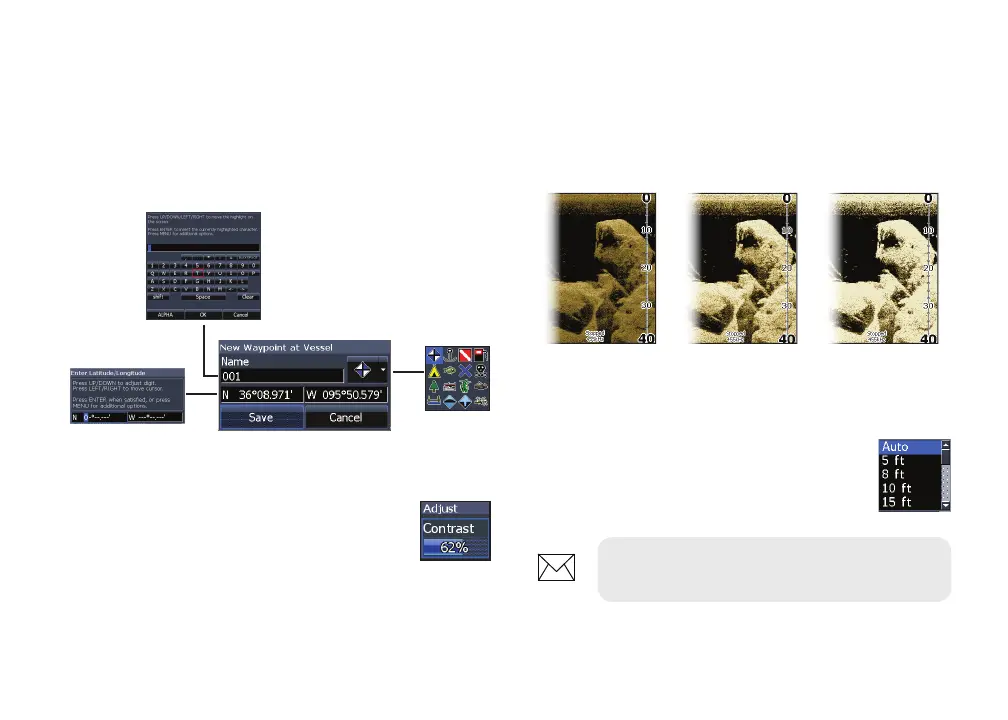
Contrast
Adjusts the brightness ratio between light and
dark areas on the screen, making it easier to distin-
guish suspended objects from the background.
Adjust
Accesses the Contrast adjustment
scrollbar, allowing you to adjust
contrast settings.
New waypoint
Places a waypoint at your current position or at
the cursor position. From the new waypoint menu,
you can input a waypoint name, select an icon
and input a desired latitude/longitude.
Range
Range settings display the section
of the water column from the water
surface to the selected depth range.
New waypoint menu
Contrast set
to 40
Contrast set
to 60
Contrast set
to 80
NOTE: Auto range is the preferred
setting for most shing conditions.










 To Next Page