8
9
Basic Operation | HOOK series
Basic Operation | HOOK series
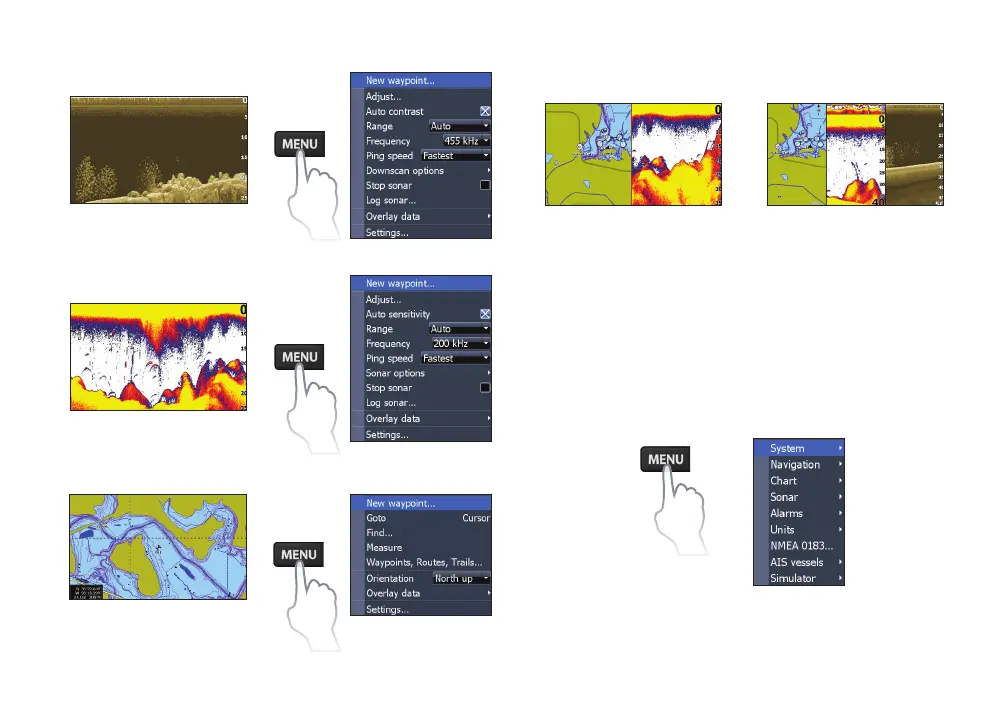
Chart page
Chart menu
Downscan page
Downscan menu
Sonar page
Sonar menu
Combo pages
Press the PAGES key twice to switch active
panels. The page menu for active page will be
displayed when the MENU key is pressed. The
active panel is denoted by an orange border.
Accessing the Settings menu
x2
Two-panel page
Three-panel page










 To Next Page